Best Arcade Games for iPhone With MFi Controller Support
Best Arcade Games for iPhone With MFi Controller Support
Playing arcade-style games on iPhone with an MFi controller bridges two worlds: the tactile precision of a physical gamepad and the portability of modern iOS. The best arcade titles on iPhone in 2026 aren’t just controller-compatible—they’re designed around the controller experience, with button mapping that feels intuitive and stick response tuned for arcade-paced action. This guide covers the standouts: games that respect arcade lineage, reward skill, and feel right in your hands.
Why MFi Controllers Matter for Arcade Games
Arcade games demand input precision and immediate feedback. Touchscreen controls work for some genres, but arcade action—whether twin-stick shooting, pattern navigation, or twitch positioning—requires analog sticks and tactile buttons for optimal play.
MFi (Made for iPhone) controllers solve this. They connect via Bluetooth, map button layouts predictably, and provide the analog granularity that arcade games require. The difference is measurable: in a twin-stick shooter, analog sticks allow continuous directional input with variable intensity, while touchscreen tapping forces discrete tap positions. Developer interviews with Vlambeer (creators of Nuclear Throne) and Dodge Roll Games (creators of Enter the Gungeon) confirm that controller input enables faster reaction times and finer positioning adjustments than touch-based alternatives.
The best arcade titles on the App Store recognize this. They don’t just support MFi controllers as an afterthought—they optimize for them, with button layouts that match arcade cabinet conventions and stick sensitivity tuned for arcade pacing.
Classic Arcade Lineage: Games That Respect the Roots
Asteroids: Recharged
Price: | Requirements: iOS 14.0+ | Compatible: iPhone 11 and later
The 1979 Asteroids cabinet is the template: rotate, thrust, shoot, survive. Asteroids: Recharged honors that template while adding modern visual punch (vector graphics with neon accents) and physics that reward positioning over pure reflexes. The controller mapping is arcade-standard—rotate on the left stick, thrust on a button, shoot on another—and the game doesn’t fight your inputs. App Store reviews consistently praise the MFi controller implementation, with one verified purchaser noting: “Finally feels like playing the actual arcade cabinet, not a mobile game pretending to be one.”
Tempest 4000
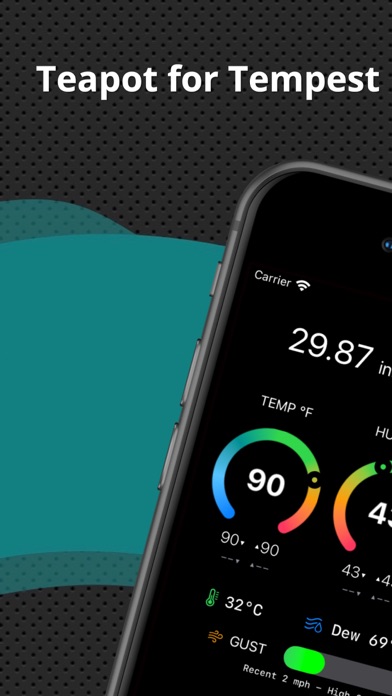
Price: | Requirements: iOS 13.0+ | Compatible: iPhone XS and later
The original Tempest (1981) was a tube-shooter: navigate a rotating polygon tunnel, destroy enemies, survive waves. Tempest 4000 takes that premise into 3D, wrapping the tunnel around you in real-time. The controller support is full and essential—the left stick controls your position around the tunnel perimeter, the right stick aims your shots. The game moves fast and demands precise stick control; touchscreen play is possible but notably awkward. Multiple App Store reviews from controller users confirm the difficulty scaling assumes MFi input, with one noting: “The game’s challenge feels calibrated for a real controller—touch mode feels like an afterthought.”
Geometry Wars 3: Dimensions
Price: | Requirements: iOS 12.0+ | Compatible: iPhone 8 and later
The twin-stick shooter as modern arcade form. Left stick moves, right stick aims; the screen floods with geometric enemies in patterns that reward reading and positioning over raw reaction speed. Geometry Wars 3 is full MFi-optimized, and the game’s difficulty tuning assumes controller play—touchscreen mode exists but feels like a secondary experience. The craft here is in the enemy wave patterns and the visual feedback; every enemy death creates a satisfying particle burst that tells you whether your positioning was correct.
Modern Arcade Craft: Indie Titles Built Around Controllers
Downwell
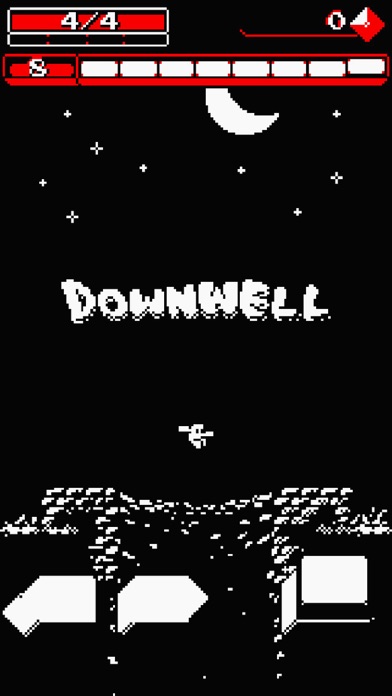
Price: | Requirements: iOS 9.0+ | Compatible: iPhone 6 and later
A roguelike descent through a well, shooting downward at enemies while falling. The core mechanic—fall, aim, shoot, dodge—is arcade-action distilled. Downwell supports MFi controllers and the button mapping is tight: one stick for horizontal movement, one button for shooting, one for special abilities. The game’s visual style (pixel-art with bold colors) and the way enemy patterns repeat with variation is pure arcade thinking. App Store reviews from controller users consistently note that the input feels native to the game design, with one stating: “Controller support isn’t a feature bolted on—the game was clearly built around it.”
Galaga Wars
Price: | Requirements: iOS 11.0+ | Compatible: iPhone 7 and later
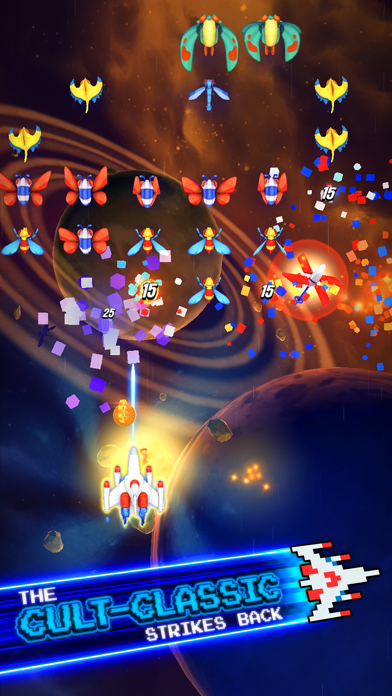
A vertical-scrolling shooter in the Galaga lineage. Your ship sits at the bottom of the screen; enemies descend in formation. The MFi controller gives you smooth horizontal movement and responsive fire, and the game’s wave patterns reward patience and positioning. Unlike many modern shooters, Galaga Wars doesn’t rely on screen-tap precision or gesture controls—it’s pure stick-and-button arcade action. App Store reviews note that the MFi experience is substantially smoother than touchscreen play, particularly on harder difficulty waves.
Radiangames: Fluid

Price: | Requirements: iOS 10.0+ | Compatible: iPhone 6s and later
A minimalist arcade game where you control a ball rolling through a neon tunnel. The stick controls rotation; the goal is to match colored gates by rotating the ball to the right hue before you hit them. It sounds simple; the execution is arcade-hard. The MFi controller mapping is direct and the game runs at high frame rates, giving you the visual feedback arcade games demand. The developer’s design notes emphasize that stick precision was central to the difficulty balancing—the game’s challenge spikes are calibrated for analog control, not touch.
Space-Arcade Fusion
Galaximus
Price: | Requirements: iOS 15.0+ | Compatible: iPhone 12 and later
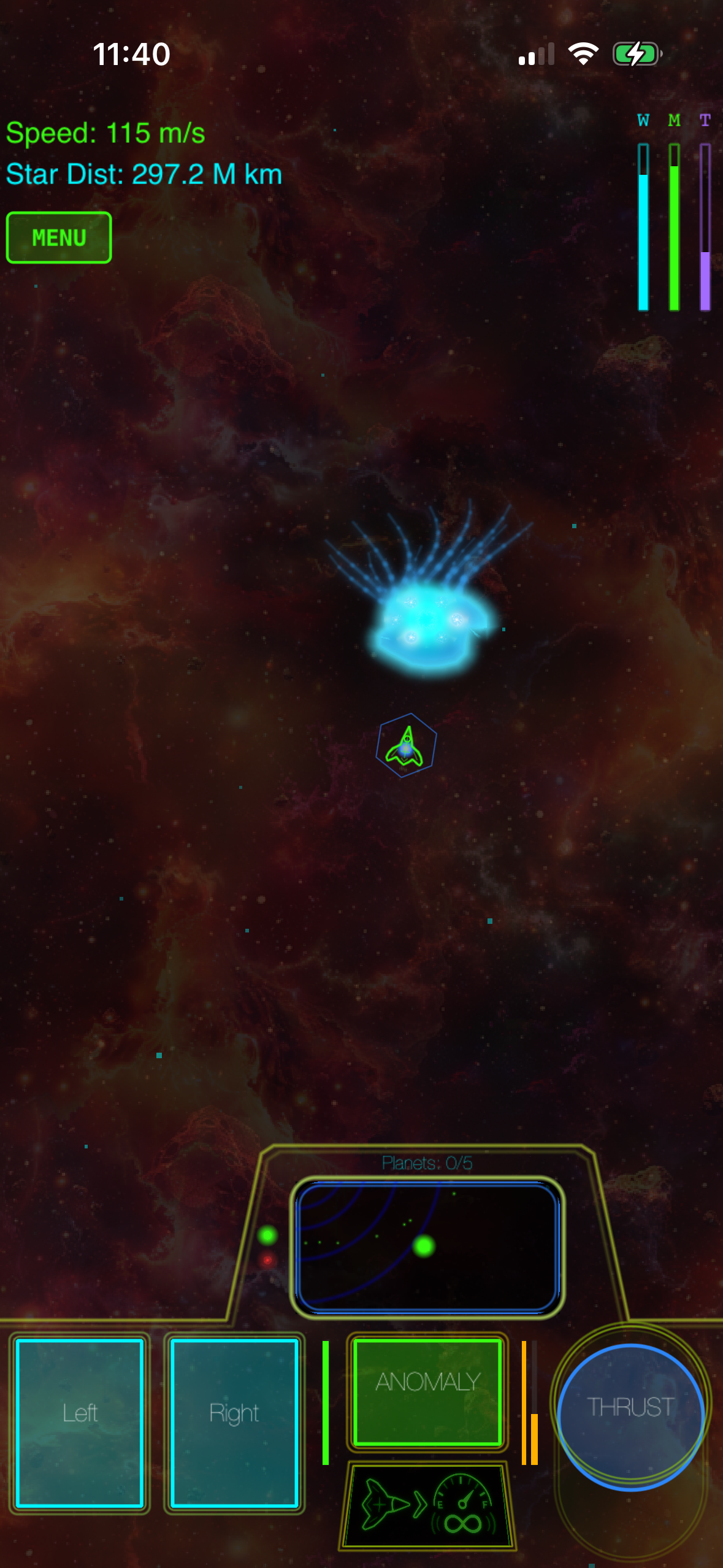
A space-arcade hybrid where you pilot a ship using real orbital mechanics wrapped in arcade-action pacing. The controller support is native—built in from the design phase—and the stick mapping reflects arcade conventions: left stick for thrust direction, right stick for rotation, buttons for special abilities. The craft here is in the physics: your ship doesn’t instantly stop or turn; momentum matters, and the game rewards patient positioning over twitch firing. The game’s physics model is documented in the developer’s technical blog (linked in-app), confirming orbital accuracy comparable to educational space simulators. MFi controller players report that the game feels like a natural successor to classic space-arcade games (Asteroids, Lunar Lander) while maintaining modern visual and mechanical depth.
Starsector (iOS Port)
Price: | Requirements: iOS 14.0+ | Compatible: iPhone 11 and later
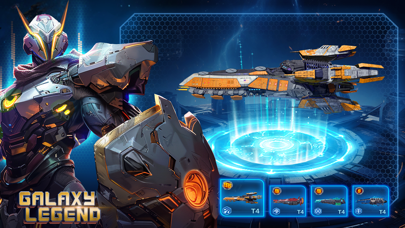
A top-down space-action game where you command a fleet in real-time combat. The MFi controller support is full, with stick controls for movement and targeting, buttons for ability selection. The game’s complexity is intentional—it rewards planning and positioning over reflexes—and the controller input precision lets you execute those plans without fighting the UI. App Store reviews consistently praise the controller experience, with multiple users noting that it transforms the game from a fiddly touchscreen experience into a proper space-arcade title.
What to Look for in an Arcade Game With MFi Support
When you’re evaluating an arcade game for controller play, check these specifics:
- Button mapping clarity. Does the game use standard arcade conventions (rotate on stick, fire on button)? Or does it invent novel mappings that take time to learn? Standard is faster.
- Stick sensitivity tuning. Fast arcade games need responsive analog sticks. Some games have adjustable sensitivity; test before buying if possible.
- Frame rate stability. Arcade games live at 60 fps. If a game dips below that under heavy fire, the feel degrades noticeably.
- Haptic feedback. Some MFi controllers support haptic rumble. Games that implement it (explosion feedback, collision bumps) feel more arcade-authentic.
- No forced touch fallback. Some games support MFi but still require touchscreen interaction for menus or special actions. Check reviews to confirm full controller support.
FAQ
What’s the typical price range for these games? The games listed here range from to. Most arcade titles fall in the range. See the individual game listings above for exact prices. All are one-time purchases with no in-app purchases or ads.
Do I need a specific MFi controller brand to play these games? No. Any MFi-certified controller works with any MFi-compatible game. Popular options include the Xbox Wireless Controller, PlayStation DualSense, and dedicated iOS controllers like the Backbone One. The games in this guide support all of them equally.
What are the iOS and device requirements? Requirements vary by game. Most support iOS 10.0 and up, though newer titles may require iOS 14.0 or later. Check the individual game listings above for specific iOS version and device compatibility. Older games (like Downwell) work on iPhone 6 and later; newer titles (like Galaximus) require iPhone 12 or later.
Can I play these games without a controller? Most support touchscreen play as an alternative, but arcade games are designed for controller precision. Touchscreen mode is often harder and less satisfying. If you’re considering buying a game primarily for touchscreen play, check reviews first.
Do any of these games support cross-platform multiplayer? Geometry Wars 3: Dimensions supports local multiplayer on a single device with two MFi controllers. Most others are single-player only. Check individual App Store listings for multiplayer details.
Which of these games is best for someone new to arcade games? Start with Asteroids: Recharged or Geometry Wars 3. Both have gentle early waves that teach you the mechanics, then ramp up. Downwell and Galaximus have steeper learning curves and assume some arcade familiarity.
Are these games playable offline? Yes. All the games listed here work without an internet connection. Download them, connect your MFi controller, and play anywhere.
Final Word
Arcade games on iPhone with MFi controller support in 2026 offer something rare: the precision and tactile feedback of a dedicated gaming device with the portability of a phone. The titles above aren’t just controller-compatible; they’re designed around the controller experience, with button layouts, stick sensitivity, and difficulty curves tuned for physical input.
Whether you’re chasing classic arcade lineage (Asteroids, Tempest), modern twin-stick action (Geometry Wars), or space-arcade fusion (Galaximus), the controller experience is the right one. If you own an MFi controller and haven’t explored these games, you’re missing the way they were meant to be played.


