Premium iPhone Games with Controller Support in 2026

Photo by Daniel Romero on Unsplash
Premium iPhone Games with Controller Support in 2026
Hooking a Backbone, an 8BitDo, or a DualSense to an iPhone instantly fixes the one thing wrong with most great mobile games: your thumbs covering the screen. The catch is that most games marketed as “controller compatible” on the App Store are free-to-play wrappers built around energy timers and ad breaks. The list below sticks to the stuff this site actually covers — pay-once, no IAP, no ads — and confirms each one supports a physical gamepad. Two subscription-tier games (Apple Arcade and Netflix Mobile Games) are broken out separately at the end, since they’re IAP-free and ad-free but not strictly pay-once.
What “controller support” actually means in 2026
Apple’s MFi program is essentially gone as a gating mechanism. Since iOS 13, the system has supported standard Bluetooth gamepads natively — Xbox Series controllers, PlayStation DualSense, Nintendo Switch Pro, Backbone One, GameSir, 8BitDo, Razer Kishi, and the various clip-on knockoffs all work without per-game certification.
What that means in practice:
- First-party Sony/Microsoft/Nintendo controllers pair over Bluetooth and work in any game that handles the Game Controller framework.
- Backbone One and similar Lightning/USB-C clip controllers register as standard MFi devices.
- “Controller support” on an App Store listing is still worth verifying, because some games map only menu navigation to the gamepad and leave actual gameplay touch-only. It’s worth checking owner reviews before buying.
The picks below all support gamepad input for gameplay, not just menus.
How this list was filtered
Three criteria, applied strictly:
- Premium — one-time purchase, no in-app purchases, no advertising. The vocabulary this site uses is rigorous: a game that flashes a “remove ads” prompt doesn’t count.
- Controller as a real input mode — not a checkbox. The game has to be playable end-to-end with a gamepad.
- Worth recommending in 2026 — actively maintained, runs well on current iOS, doesn’t feel like an abandoned port.
The result is a shorter list than you’ll see on bigger sites that pad their roundups with f2p titles. That’s intentional.
Recommended premium iPhone games with controller support
Dead Cells
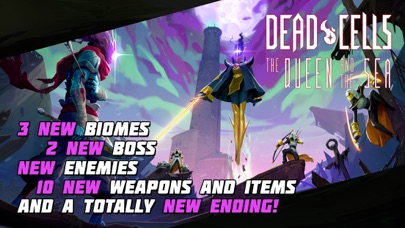
Motion Twin’s roguelike-Metroidvania is the gold standard for “premium console game that actually plays correctly on iPhone with a controller.” The mobile version preserves the full PC/console moveset, including the precise i-frame dodge-roll that makes the combat work, per the developer’s own port notes. With a Backbone clipped on, the difference between mobile Dead Cells and Switch Dead Cells comes down to screen size, not feel.
It’s premium-tier on price but the content depth — dozens of weapons, multiple biomes per run, a difficulty system that rewards hundreds of hours — makes it the easiest first recommendation on this list. Touch controls exist; nobody who’s tried both prefers them.
Stardew Valley
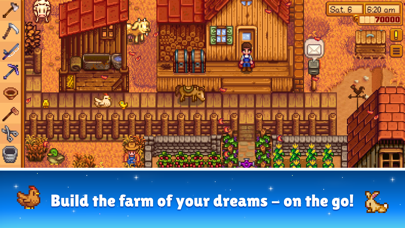
ConcernedApe’s farming RPG was a touch-first port at launch but added full MFi controller support years ago, and the gamepad mapping is clean: left stick to move, face buttons for tools and interaction, shoulders for inventory cycling. Per the developer’s update notes, the controller layout mirrors the console versions almost exactly.
Stardew is the article’s pick for long-haul couch play — the kind of game where you connect a DualSense, lean back, and lose three hours to fishing without ever touching the screen.
Streets of Rage 4
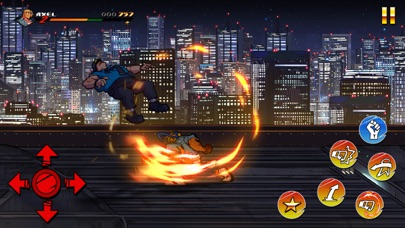
A beat-‘em-up without a gamepad is barely a beat-‘em-up. SoR4’s iPhone port supports controllers properly, including the timing-critical special-move inputs that touch controls fudge. Lizardcube’s animation work — hand-drawn character frames, real squash-and-stretch — is one of the better-looking things on the App Store, and a Bluetooth controller is what unlocks it.
GRID Autosport
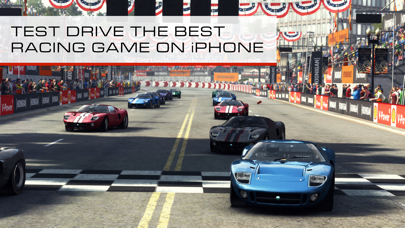
Codemasters’ full console racing game, ported to iPhone as a one-time purchase with no IAP. The default touch tilt works, but a controller turns it into the actual GRID experience: analog throttle modulation, brake pressure, proper handbrake. Per the listing’s own notes, the game supports MFi gamepads and Bluetooth wheels.
If you’ve got a gamepad and any interest in sim-ish racing, this is the unambiguous pick.
Galaximus
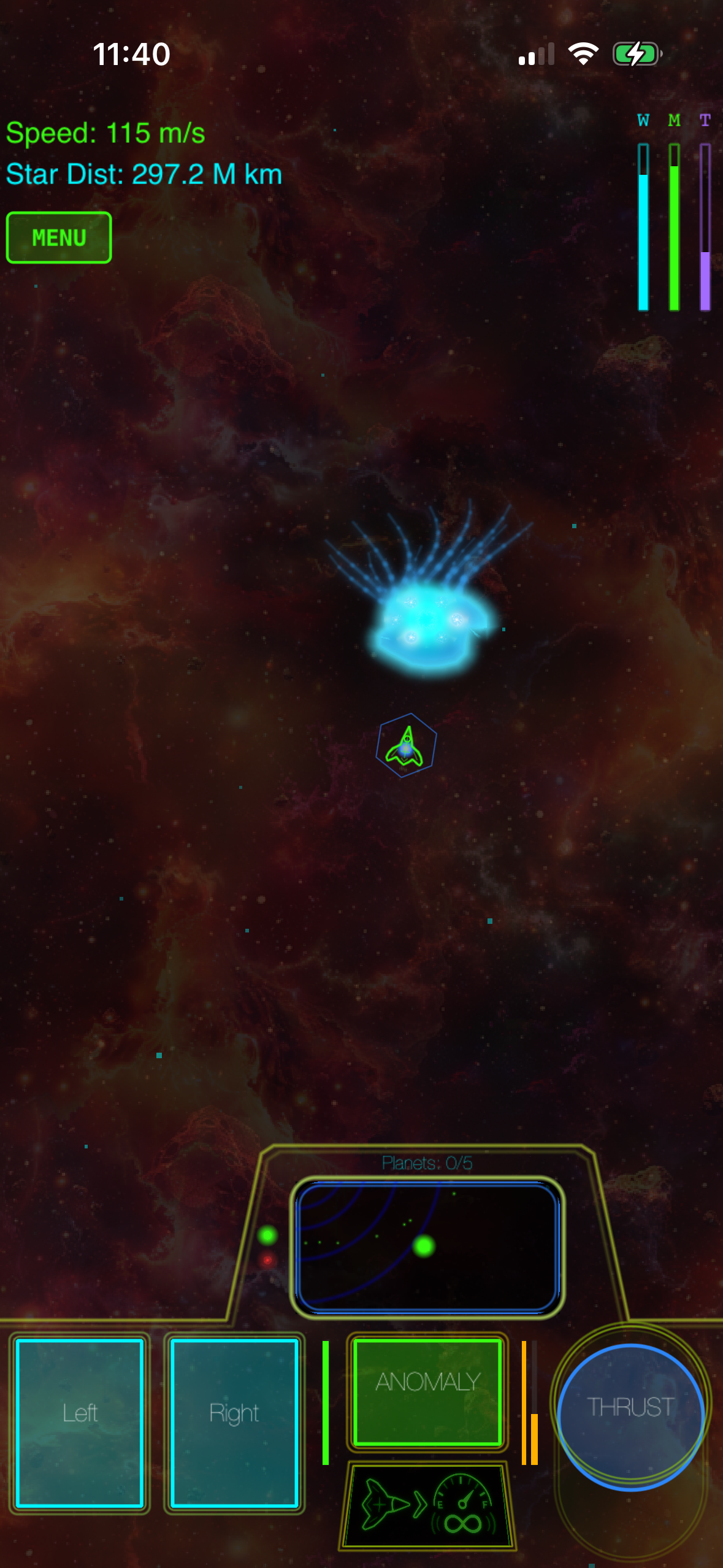
Galaximus is a modern arcade-lineage space game in the Asteroids tradition with real physics rather than the on-rails movement most arcade-style mobile games default to. With a controller paired, the dual-stick feel — left stick to thrust and rotate, right stick or face buttons for fire — is much closer to how arcade-lineage games are supposed to play than any tilt or virtual-stick scheme manages.
It’s a smaller, more focused game than Dead Cells or Stardew, and that’s the point — it’s an arcade game, not a 60-hour campaign. Premium-tier, no IAP, no ads, and in a category where controller support genuinely matters for the moment-to-moment feel.
Crashlands
Butterscotch Shenanigans’ craft-and-explore RPG handles controllers about as well as a top-down action-RPG can — twin-stick movement and combat, face buttons for crafting menu shortcuts. It’s been on the App Store long enough that the controller layout has been iterated on through several updates, per the studio’s patch notes.
Subscription-tier picks (Apple Arcade & Netflix Mobile Games)
These two don’t fit the strict pay-once rule, but they’re IAP-free and ad-free if you already subscribe — worth flagging separately rather than burying in the main list.
Alto’s Odyssey: The Lost City (Apple Arcade)

The Apple Arcade re-release of the Alto series adds full controller support to what was already one of the most visually polished one-thumb games on iOS. With a gamepad, the single jump/grind input maps to a face button and the hand-on-screen problem goes away entirely. Requires an active Apple Arcade subscription.
GTA: San Andreas – The Definitive Edition (Netflix Mobile Games)
Included with a Netflix subscription via Netflix Mobile Games at no extra charge — no IAP, no ads, but it disappears if you cancel Netflix, so this is not a pay-once title. Controller support is full and proper. Touch controls on a 3D action game from this era were always a compromise; with a gamepad it plays the way it was originally designed.
Controllers worth pairing with these games
Quick notes on the hardware side, since “what controller should I use” is the natural follow-up. Latency and durability claims below come from independent testing where cited; treat unsourced impressions as impressions.
- Backbone One (USB-C) — the dominant clip-on for iPhone 15 and 16 series. Wired USB-C connection means input lag is effectively the display’s own response time (no Bluetooth stack), which is the main reason it’s preferred over Bluetooth pads for action games.
- 8BitDo Pro 2 — Bluetooth, not a clip. Independent testing by RTINGS measured roughly 6–7 ms wired and 8–10 ms over Bluetooth, which is competitive with first-party Sony and Microsoft pads. Best pick if you want a Switch-Pro-style traditional controller and don’t mind propping the phone separately.
- Sony DualSense — pairs in seconds with iOS 16+. Adaptive triggers don’t do anything in iPhone games yet, but the rumble works.
- Xbox Series Core Controller — same story. Pair, play, no software needed.
- GameSir G8 Galileo — newer USB-C clip alternative to the Backbone, with hall-effect sticks. Hall-effect sensors don’t suffer from the carbon-pad wear that causes stick drift on the Backbone’s standard potentiometer sticks, which is the concrete durability advantage; the trade-off is a smaller companion-app ecosystem.
The picks above all work with any of these. There is no game on this list that requires a specific controller brand.
Genre roundup: what works best with a gamepad
Some genres benefit from a controller more than others. Worth thinking about which itch you’re actually trying to scratch:
- Twin-stick shooters and arcade-lineage space games — gamepad is essentially required for the genre to feel right.
- Roguelikes with precise inputs — Dead Cells, Downwell, Slay the Spire all play markedly better with buttons.
- 3D action and platformers — analog stick movement is the whole point.
- Beat-‘em-ups, fighters, racing — controller-mandatory in any serious sense.
- Puzzle games, narrative games, idle-style games — touch is fine and often preferable. Don’t overthink it.
Things to check before buying
A few practical filters that will save you a refund request:
- Read the App Store listing for the words “MFi” or “controller.” Apple’s own metadata is more reliable than third-party site claims.
- Check the most recent update date. Controller behavior sometimes regresses across iOS versions; a game updated in the last 6-12 months is safer.
- Verify the game runs offline if that matters to you. Plenty of premium games still phone home for no good reason.
- Pair the controller before launching the game. Some games only detect controllers connected at launch — a known iOS quirk per Apple’s developer forum.
FAQ
Do I still need an “MFi-certified” controller in 2026?
No. Since iOS 13, Apple’s Game Controller framework supports standard Bluetooth gamepads — DualSense, Xbox Series, Switch Pro, 8BitDo, and others — without per-device certification. MFi-branded controllers still work, but they’re no longer the only option.
Can I use a PS5 or Xbox controller with my iPhone?
Yes, both pair over Bluetooth in iOS Settings → Bluetooth. The DualSense and Xbox Series controllers are officially supported by Apple.
Are there premium iPhone games that require a controller?
A handful, mostly ports of console-first games, recommend a controller strongly but very few flatly refuse to launch without one. Most support both touch and gamepad and let the player choose.
Can I use a controller I already own with Apple Arcade?
Almost certainly yes. Any DualShock 4, DualSense, Xbox One, Xbox Series, or recent 8BitDo controller you’ve been using on console or PC will pair to an iPhone over Bluetooth and work across the Apple Arcade catalog without any additional setup or per-game configuration. The same goes for clip-ons like the Backbone One. There’s no Apple Arcade-specific controller requirement — if it works elsewhere on iOS, it works in Apple Arcade games.
What about cloud-streaming games like Xbox Cloud Gaming?
Those work with Bluetooth controllers too — pair the controller to the iPhone first, then launch the streaming app. Latency is dominated by the network round-trip rather than the controller, so the choice of pad matters much less than it does for native games.


