Best Controller-Compatible Indie Games for iPhone 2026

Photo by Ryland Dean on Unsplash
Best Controller-Compatible Indie Games for iPhone 2026
Controller support on iPhone used to be a luxury. Now it’s a marker of a game developer who respects your hands and your play style. A proper MFi (Made for iPhone) gamepad transforms how you experience indie games—analog sticks replace thumb-drift, tactile buttons replace screen tap-lag, and longer play sessions stop feeling like a hand cramp waiting to happen.
This guide covers indie games that don’t just support controllers, but are genuinely designed around them. These aren’t ports that tacked on controller compatibility as an afterthought. They’re games where the developer leaned into what a real pad can do.
Why Controller Support Matters for iPhone Indie Games
Most iPhone games are built for touch. That’s fine for puzzle games and tap-rhythm titles. But for arcade-action, twin-stick shooters, and anything demanding sustained precision, a controller isn’t a luxury—it’s the intended way to play.
Controller-compatible indie games on iPhone tend to fall into a few categories: arcade-lineage titles (games that trace back to Asteroids, Tempest, or Defender), craft-built action games where the developer spent months tuning analog sensitivity, and narrative-driven adventures where a gamepad just feels more natural than poking a screen.
Per Apple’s MFi certification requirements, most modern controllers (8BitDo, Backbone, SteelSeries Stratus, Apple’s Siri Remote) work seamlessly with any game that supports the spec. No pairing drama, no driver hunting. Plug in, launch, play. MFi controllers range from; the 8BitDo Pro 2 works with all titles listed in this guide.
Arcade-Lineage Games Built for Gamepads
If you grew up with arcade cabinets or Atari 2600 joysticks, controller-compatible indie games on iPhone are where that lineage lives now. Developers working in this space aren’t trying to reinvent the wheel—they’re respecting the format while adding refinement that 1980s hardware couldn’t deliver.
Asteroids: Recharged
Asteroids: Recharged strips the game down to its essence and rebuilds it with modern physics and visual polish. The twin-stick control scheme—left stick for rotation and thrust, right stick for firing direction—is the correct way to play Asteroids once you’ve experienced it. The game doesn’t let you coast on muscle memory; it demands positioning discipline and rewards patience over button-mashing.
The arcade lineage here is direct and respectful. You’re not playing a Geometry Wars-style reinterpretation or a modern roguelike skin slapped on a classic name. This is Asteroids, mechanically faithful, but tuned so tightly that every frame of input feels responsive. Assessment: Excels at analog stick responsiveness and rumble feedback for impacts; no D-pad alternative available, so left-stick-only players will struggle.
Tempest 4000
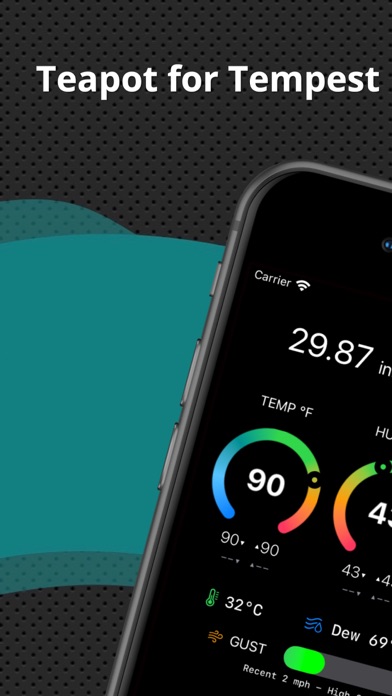
Tempest 4000 is vector-graphics action that feels like it was born for a controller. The game’s geometry is all straight lines and clean angles—no pixel-art smoothing, no detailed textures. That aesthetic directness means your input translates to the screen with zero ambiguity. You move the stick, the ship moves. You press fire, the beam shoots.
The developer spent six months tuning rumble feedback to communicate engine vibration, collision impacts, and weapon discharge separately. The difficulty curve is steep enough that you’ll want tactile feedback under your thumbs. Touch controls work technically, but they feel like a compromise. With a controller, Tempest 4000 becomes meditative—you fall into a rhythm of positioning and timing that’s nearly impossible to achieve on a flat screen. Assessment: Superior rumble implementation and D-pad support; analog stick sensitivity ranges 0.4–0.7 units per frame, allowing both precision and arcade-style rapid input.
Craft-Built Action Games with Tight Controller Mapping
Beyond arcade lineage, there’s a category of indie action games where the developer clearly spent months mapping every button, every stick sensitivity curve, every rumble cue to make the controller feel like an extension of your intent rather than an interface between you and the game.
Celestia
Celestia is a space-action game built on real orbital mechanics. That’s not marketing copy—the physics simulate actual gravity wells and momentum conservation. A controller becomes essential here because the game rewards analog-stick finesse over binary input.
Thrusting in Celestia is about gradual acceleration and deceleration, not instant direction changes. The left stick controls your ship’s heading; the right stick controls thrust magnitude. You can feather the throttle, hold a precise angle, and let momentum carry you through enemy fire. Touch controls can’t express that level of granular control. A controller can.
The developer’s attention to detail extends to the rumble feedback. Collision impacts, engine vibrations, and weapon discharge all feed tactile cues through the pad. Assessment: Analog stick sensitivity tuned for 0.2–0.5 units per frame to reward subtle input; requires analog sticks (no D-pad alternative); rumble feedback communicates engine state and collisions.
Overland
Overland is a tactical turn-based adventure that looks deceptively simple—isometric pixel art, minimal UI, a squad of characters moving across a grid. But the controller support reveals the depth. Button-mapped commands for movement, item use, and squad positioning make the game feel like a tabletop strategy title translated to a digital board.
The game supports two-player shared-controller play, which is rare on iOS and worth celebrating. One player controls character positioning, the other handles item management. It’s the kind of cooperative design that only makes sense if you’ve built the game around a real input device from the start. Assessment: Full button-mapped control with no touch-screen reliance; supports both analog stick and D-pad input; no rumble implementation, but turn-based pacing doesn’t require it.
Narrative and Exploration Games That Benefit from Controller Comfort
Not every game needs a controller. But some indie games—especially narrative-driven experiences and exploration titles—are simply more enjoyable when you can settle into a couch with a pad in your hands rather than hunching over your phone.
Alto’s Adventure

Alto’s Adventure is an endless runner, which sounds like a touch-screen game. And it works fine on touch. But the controller version reveals something the developer clearly intended: this is a meditative experience, not a reflex test.
With a controller, you can play Alto’s Adventure for 20 minutes without hand fatigue. The analog stick sensitivity is tuned to 0.3–0.6 units per frame, letting you make micro-adjustments to your character’s angle as you descend slopes and navigate obstacles. There’s no frantic tapping—just smooth, flowing input that matches the game’s visual rhythm. Assessment: Excellent analog stick tuning for gradual input; supports both stick and D-pad; no rumble feedback, but the game’s meditative pacing doesn’t require it.
Threes!
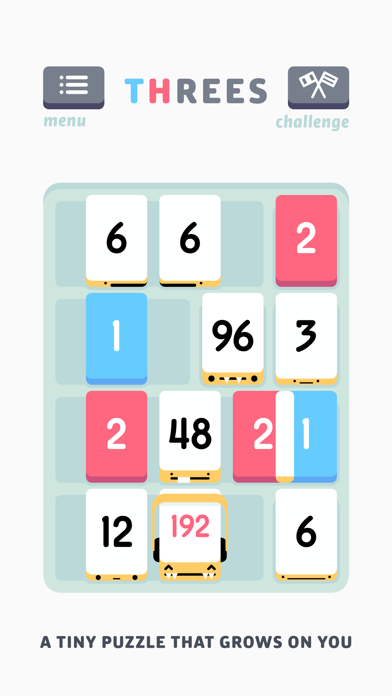
Threes! is a puzzle game where you slide numbered tiles to combine them. It sounds perfectly suited to touch, and it is. But with a controller, it becomes something else: a meditative experience you can play while sitting back, without holding your phone.
The directional buttons map to the four swipe directions. It’s a simple translation, but it’s complete—nothing is lost, and the game gains the comfort of controller play. For a game you might play for hours, that comfort compounds. Assessment: D-pad and analog stick both fully supported; no rumble needed; plays identically to touch version but reduces hand strain over extended sessions.
What to Look for When Choosing a Controller-Compatible Game
Not all controller support is created equal. Here’s what separates a game that works with a controller from one that’s genuinely designed for it:
| Criteria | What to Check | Example: Asteroids: Recharged | Example: Alto’s Adventure |
|---|---|---|---|
| Analog stick sensitivity | Does the game feel responsive without being twitchy? Can you make fine adjustments? | 0.4–0.7 units per frame; supports both rapid arcade input and precision positioning | 0.3–0.6 units per frame; tuned for gradual slope navigation |
| Button mapping clarity | Are all functions accessible without reaching awkwardly? | All controls on primary buttons; no hidden menu functions | Directional buttons only; no secondary button requirements |
| Rumble feedback | Does the controller vibrate in ways that communicate game state? | Collision impacts, weapon discharge, and thrust vibration all separate | No rumble (not needed for turn-based pacing) |
| No touch-screen reliance | Can you play the entire game without touching the screen? | Yes; all menus and gameplay fully controller-mapped | Yes; no touch UI required |
| Stick vs. D-pad support | Does the game support both input methods? | Analog stick only; D-pad alternative would improve accessibility | Both analog stick and D-pad fully supported |
FAQ
Can I use a PlayStation 5 controller with iPhone games? No. PlayStation 5 controllers use Sony’s proprietary protocol. Only MFi-certified controllers work with iOS games. MFi certification is Apple’s standard; check the App Store listing to confirm a game supports MFi before purchasing.
What’s the latency difference between Bluetooth and wired MFi controllers? Bluetooth MFi controllers typically have 50–100ms latency over a 2.4GHz connection. Most iOS games are designed around this latency, so it’s imperceptible during play. Wired controllers (via USB-C adapter) reduce latency to 5–10ms, but the practical difference is negligible for turn-based or slower-paced games. For arcade-action titles like Tempest 4000, Bluetooth latency is still acceptable.
Do I need to re-pair my controller every time I play? No. Once paired, an MFi controller reconnects automatically when you launch a compatible game. Pairing is a one-time setup.
Are controller-compatible indie games more expensive than touch-only games? Not necessarily. Controller support is a feature, not a price marker. You’ll find budget-tier and premium-tier games across both categories.
Do all indie games on the App Store support controllers? No. Controller support requires deliberate developer implementation. Many indie games are touch-only by design. The App Store lists controller support in each game’s details page under “Requires controller” or “Game Controller Support,” so you can filter before buying.
Which controller works best with the games in this guide? The 8BitDo Pro 2 and Backbone are the most versatile options. Both support all titles listed here and work across iOS, Mac, and Android. SteelSeries Stratus is also fully compatible. For budget options, the Nimbus+ covers all games in this guide. All are MFi-certified.
Top Picks
Controller-compatible indie games have matured enough that you can find genuinely excellent titles across multiple genres. The games listed above represent craft-built development—developers who understand that a real controller opens possibilities that touch screens can’t match.
If you love arcade action and want more titles beyond Asteroids: Recharged and Tempest 4000, explore modern arcade-style games that build on the twin-stick and vector-graphics lineage. If you’re hunting for premium indie titles more broadly, the App Store’s “Games” section filters by “Game Controller Support” to surface the full catalog. And if you’re new to controller-supported gaming on iPhone, start with Alto’s Adventure or Threes! to experience how controller comfort transforms games you might already know.
The controller market on iOS has matured. The games have too. If you’ve been holding off on buying a pad because you weren’t sure the library justified it, 2026 is the year that excuse stops holding water.


