Best Offline Arcade Games iPhone 2026

Photo by Senad Palic on Unsplash
Best Offline Arcade Games for iPhone: Play Anywhere, Anytime
Offline arcade games let you play without hunting for WiFi—on planes, trains, or anywhere signal drops. The best ones respect the arcade lineage while using iPhone hardware in ways that feel native, not ported. This guide covers premium, IAP-free titles (, one-time purchase) that work standalone and reward skill over time-gating.
What Makes an Offline Arcade Game Worth Playing
Arcade games live or die by their core loop: a single mechanic, tight controls, and a score that climbs when you play smart. The best iPhone arcade games preserve this DNA while adding something iPhone-shaped—tilt controls that feel precise, touch-screen patterns that extend the arcade formula, or visuals that lean into what a modern screen can do.
Offline capability matters more than it sounds. A game that runs locally plays the same way whether you’re at sea level or 35,000 feet. No server hiccups, no authentication checks, no “reconnect to play” popups. That reliability is why arcade games—a format built for quarters and instant gratification—feel at home on iPhone when they’re untethered.
The titles below are all premium-tier (one-time purchase, no ads, no IAP) and playable entirely offline. Many also support MFi controllers if you want to lean into that arcade-cabinet feel at home.
Vector-Graphics Arcade: Clean, Fast, Offline-Native
Vector graphics—simple geometric shapes rendered in solid colors or thin outlines—became the arcade standard in the early 1980s because they were fast and readable on tiny screens. They translate perfectly to iPhone, and they don’t require constant internet checks or asset streaming.
Asteroids: Recharged strips the 1979 formula back to its essence: you rotate, thrust, and fire at polygonal rocks tumbling across a black screen. The game scales difficulty without adding visual noise, and the vector aesthetic keeps everything legible at high speeds. Works flawlessly offline.
Tempest: Recharged takes the tube-based shooter formula and rebuilds it for modern screens. You ride the edge of a 3D tunnel, firing inward at enemies. The vector aesthetic keeps the game legible at high speeds, and the offline mode means no lag spikes during critical moments. The learning curve is steep but fair—arcade-game steep, not artificial-difficulty steep.

Geometry Wars 3: Dimensions leans heavier into modern visuals than pure vector style, but the arcade bones are intact. You fly a small ship through geometric arenas, dodging and shooting. The offline-play guarantee is a huge win here; the game runs locally on your device with no server dependency, so it’s reliable for travel. The controller support is tight, making it one of the best “iPhone arcade game played on a physical gamepad” experiences available.
Vertically Scrolling Shooters: The Arcade Lineage
Vertical shooters—where your ship sits at the bottom of the screen and enemies pour down—trace directly to Galaga, 1943, and Strikers 1945. Modern iPhone versions respect that lineage while using the full screen and touch controls.
Galaga Wars is a modern reinterpretation, not a port. Your ship moves across the bottom, enemies swarm in formation, and you chain shots for multiplier bonuses. The game respects the arcade’s reward structure: skill compounds. The difficulty ramp is honest—it gets harder, but not unfairly so. No energy timers, no “wait 4 hours to play again.” Fully playable offline. Price:.
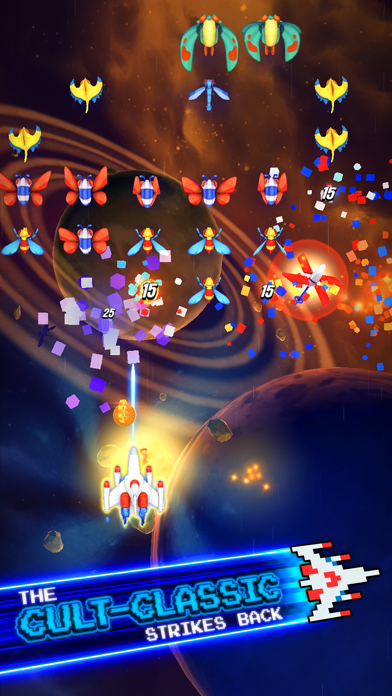
Sky Force Reborn takes the vertical-shooter template and adds craft-built detail to every explosion and particle effect. The game runs offline and supports both touch and controller input. The hitboxes are tight and the enemy patterns are telegraphed fairly—you can learn them. Not a roguelike; more of a skill-progression game where you memorize patterns and execute. Price:.
Arcade-Action Roguelikes: Replayability Built In
Roguelike structure (procedurally varied runs, permanent progression, death-and-restart loops) pairs naturally with arcade mechanics. Each run is a self-contained arcade session; the meta-progression gives you reasons to play again.
Hades is a premium-tier indie action-roguelike that respects arcade pacing. Combat is arcade-tight: dodge, attack, manage cooldowns. Each run lasts 15–30 minutes. The game runs entirely offline. Players highlight the craft-built animation and the way difficulty scales with your skill and choices. This is a 20+ hour game, not a quick arcade fix, but the arcade DNA is unmistakable. Price:.
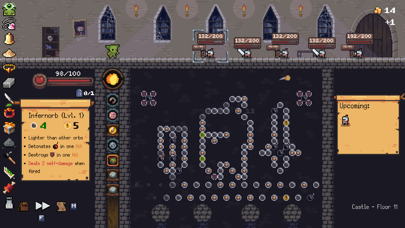
Peglin is a roguelike pachinko-arcade hybrid. You flick a ball down a board, bouncing off pegs and hitting enemies. Each run is procedurally different. Offline play is native. The physics feel fair and the decision-making (which pegs to target, which upgrades to take) gives the arcade loop real strategic depth. Price:.
Minimalist Arcade: One-Handed, Portrait-Mode Play
Not every arcade game needs a full screen or two thumbs. Some of the best offline arcade experiences on iPhone work in portrait mode, one hand, and fit into the margins of your day.
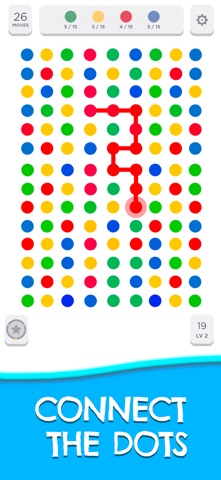
Two Dots is a puzzle-arcade hybrid. You connect dots of the same color, and the board shifts when you complete a line. Simple rule, infinite complexity. The game is infinitely replayable and works perfectly offline. No timers, no “come back in 24 hours,” just you and the dots. The minimalist aesthetic means it runs fast on any iPhone. Price:.
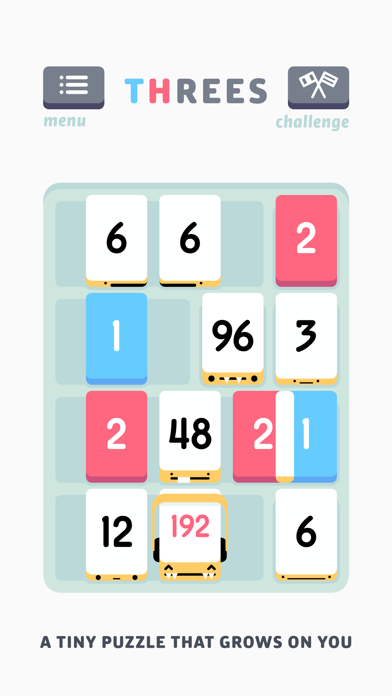
Threes! is a sliding-tile puzzle game with arcade pacing. You combine numbered tiles to reach higher numbers. The game is deterministic (same moves produce the same board state), but each session is different because you control the order. Offline play is built in. Players appreciate the lack of timers and the way the game rewards planning over reflexes. Price:.
Controller-Compatible Arcade Games
If you’re playing offline at home or want a full arcade-cabinet feel, MFi controller support transforms the iPhone experience.
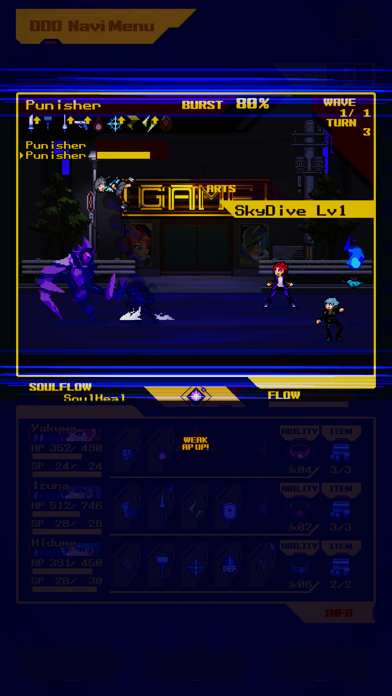
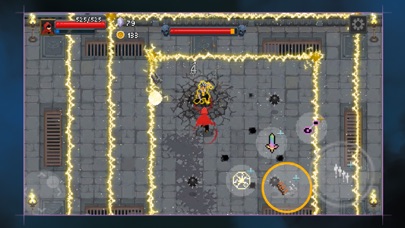
Soulvars is a top-down arcade-action game built for controllers. You move, dash, and attack in arenas filled with enemies. The controller mapping is intuitive and the game feels like a console title. Fully offline. Price:.
Wizard of Legend is a roguelike dungeon-crawler with arcade-tight combat. Controller support is native. The game runs offline, and the spell-casting system is the draw—you pick spells before each run and chain them for combos. Arcade loop, fantasy setting, deep replayability. Price:.
How to Spot Quality Arcade Games (and Avoid the Clones)
The App Store is flooded with games called “Arcade” that aren’t arcade games at all. Here’s how to tell the difference:
- Avoid games that reset your score between sessions. True arcade games preserve your high score. If the game clears your score or forces you to start a “new campaign,” it’s not respecting arcade structure.
- Avoid games with level-based progression instead of score-based. Arcade games don’t have “levels” in the traditional sense. They have waves, rounds, or difficulty tiers that emerge from a single core mechanic getting harder. If you’re unlocking new levels or maps through progression, it’s a different genre.
- Check for IAP or ads. If a game is “free” but has energy timers, battle pass offers, or full-screen ads, it’s not an arcade game—it’s a monetization vehicle dressed up as one. Premium-tier offline games don’t have these.
- Read owner reviews carefully. Skip the 5-star “love it” reviews and the 1-star “it crashed once” reviews. Read the 3- and 4-star reviews where people describe actual play time and what they wish was different. That’s where honest assessment lives.
FAQ
What’s the typical file size for these games? Vector-graphics games (Asteroids, Tempest) are usually under 200 MB. 3D games like Hades or Geometry Wars 3 run 1–2 GB. All fit comfortably on modern iPhones. Check the App Store listing for exact size before downloading.
Do these games support cloud save across devices? Most do not. Offline arcade games prioritize local play and high-score persistence on a single device. If you want cross-device saves, check the App Store listing under “Game Center” or “iCloud” support. Hades and Peglin support cloud saves; most others don’t.
Do I need a controller to enjoy these games? No. All of them work with touch or tilt controls. Controller support is a bonus for home play, not a requirement. The best ones (Hades, Geometry Wars 3) feel great either way.
Will these games work on older iPhones? Most will. Check the App Store listing for the minimum iOS version. Vector-graphics games (Asteroids: Recharged, Tempest: Recharged) are usually lighter on hardware than 3D games like Hades. If you have an iPhone 11 or newer, you’re safe with nearly everything here.
Are there free arcade games worth playing offline? Yes, but they’re rare. Most “free” arcade games on the App Store include ads or IAP. If you find a genuinely free, ad-free arcade game, it’s usually a passion project or a loss leader. Premium-tier games are where the craft-built, IAP-free arcade experience lives.
Summary
Offline arcade games on iPhone solve a real problem: they let you play serious, craft-built games anywhere without WiFi. The best ones respect the arcade formula—tight controls, clear feedback, score-based progression—while using iPhone hardware in ways that feel native. Whether you want vector-clean shooters, roguelike loops, or minimalist puzzle-arcade hybrids, the titles above are all premium-tier , IAP-free, and playable entirely offline.
Download one, get on a plane, and play.


