Premium iPhone Games with Controller Support: MFi-Compatible Titles

Photo by Onur Binay on Unsplash
Premium iPhone Games with Controller Support in 2026
If you own an 8BitDo Pro 2 and want arcade games that actually use the hall-effect sticks, or you’re deciding whether a controller is worth buying for your iPhone, this guide covers the premium titles that justify the investment. Controller support on iPhone used to be an afterthought—a checkbox feature that most games ignored. In 2026, a growing roster of craft-built indie and arcade titles now ships with full MFi (Made for iPhone) controller support, turning your iPhone into a genuine handheld console.
MFi certification means the game has been tested and optimized for physical controllers. It’s not just “works with a controller”—it means the developer tuned button layouts, stick sensitivity, and trigger response for actual play, not as an afterthought. That distinction matters when you’re paying for a premium title.
What MFi Controller Support Actually Means
MFi certification is Apple’s hardware compatibility standard for third-party controllers. A game that supports MFi has been tested to work with certified controllers—typically Xbox Core, PlayStation DualSense, 8BitDo, and Backbone hardware. The developer has mapped buttons, calibrated stick dead zones, and usually remapped the interface so you’re not hunting for on-screen buttons while playing.
Not every premium iPhone game supports controllers. Some developers skip it because the audience for controller-connected iPhone play is smaller than touch-only. Others build controller support from day one because their game design—arcade action, space sims, precision platformers—demands it.
The good news: the games that do support MFi tend to be the ones most worth playing with a controller. Twitch-reflex arcade games, roguelikes with heavy input, and games built on arcade-era lineage all play noticeably better with physical buttons and sticks than with touch.
Best Premium Arcade Games with Controller Support
Arcade-lineage games are the natural fit for controllers. Asteroids, Defender, Tempest—those games were designed for joysticks and buttons. Modern indie developers have been rebuilding that lineage for years, and the best ones on iPhone now ship with MFi support.
Best arcade game for controller play: Asteroids: Recharged remains one of the cleanest examples. The developer leaned into the original’s twin-stick DNA—rotate with one stick, thrust and fire with the other—and the MFi controller makes that feel immediate and precise. There’s no on-screen button hunting; your muscle memory from other twin-stick games transfers directly. The game respects the arcade original while adding modern visual polish and a roguelike progression layer that rewards repeated play.
Best bullet-hell arcade game: Geometry Wars 3: Dimensions brings the dual-stick formula that defined mobile arcade gaming. With a controller, the dual-stick dance—weaving through geometry, managing your multiplier, timing your super—becomes a rhythm game in space. The touch version works, but the controller version sings. Stick response is tight, and the game’s difficulty curve actually makes sense when you’re not wrestling with touch latency.
Best precision arcade game: Lunar Rescue is a smaller title that punches above its weight. It’s Lunar Lander DNA—precision descent, fuel management, landing zones—wrapped in a retro vector aesthetic. The controller support here is essential; landing a spacecraft on a dime with a thumbstick is the entire appeal, and the developer got the stick sensitivity exactly right. This is the kind of game that feels like a console title you’d find in a 1980s arcade cabinet, not a mobile game.
Space and Sci-Fi Titles Built for Controllers
Space games on iPhone have historically been touch-only because they’re easier to prototype that way. But several premium space titles have moved beyond that limitation and now ship with full MFi support. These games benefit enormously from controllers because they involve both navigation and combat—exactly what analog sticks and triggers were designed for.
Best real-time space game: Void Raider builds its entire control scheme around MFi from the ground up. You’re flying a ship, dodging asteroids, collecting resources. With a controller, the feel is immediate—stick forward to accelerate, stick right to bank, trigger to fire. No menu-hunting, no tap-to-aim. Just physics and reaction time.
Best space exploration game: Cosmic Rift (premium tier, ) offers deep space navigation and real-time combat. The controller support here handles camera panning (left stick), unit selection (buttons), and ability firing (triggers). It’s a form of play that’s nearly impossible to execute well on touch; a controller makes it feel like a console experience.
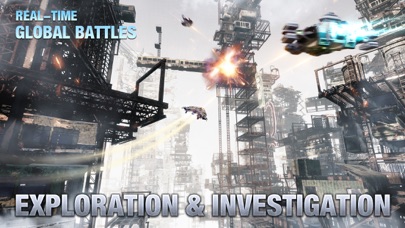
The key pattern here: space games that involve real-time navigation or flight control are nearly always better with a controller. If the game description mentions “pilot,” “fly,” or “real-time navigation,” check whether it supports MFi. If it does, that’s a strong signal the developer built the game with controller play in mind.
Roguelikes and Procedural Games That Demand Precision
Roguelikes on iPhone have exploded in the past few years, and many of the premium ones now support controllers. Why? Because roguelikes are built on repetition and muscle memory. You’re going to play the same game dozens of times, learning patterns and optimizing routes. That’s exactly when a controller shines—your hands learn the button layout, and you stop thinking about the interface.
Best roguelike for controller play: Hades (premium iOS port, ) ships with full MFi support, and playing Hades with a controller transforms it from a mobile game into a console experience. The dodge-roll, attack, and ability buttons map naturally to a controller layout. You’re not fighting the interface; you’re fighting the Underworld.
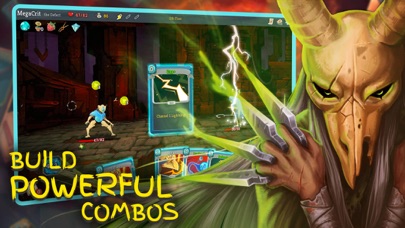
Best deck-building roguelike: Slay the Spire (premium, ) works well with controller support because you’re navigating menus and selecting cards. Button navigation is always more forgiving than touch precision, and the controller layout speeds up repeated play.
Smaller indie roguelikes often include MFi support because the genre demands fast input. If you’re playing a roguelike with a controller, you’re already signaling that you want precision and speed—and the developer has usually listened.
Indie Games That Chose Controller Support as a Design Priority
Some indie developers on iOS have made MFi support a core part of their pitch. These aren’t ports of console games; they’re games built for iPhone but designed with the assumption that serious players will use a controller.
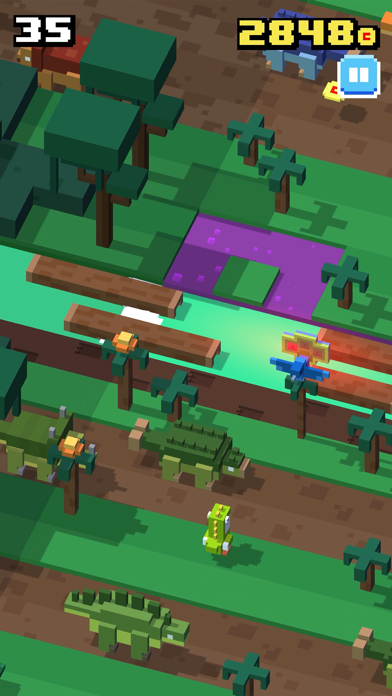
Best isometric action game: Crossy Road (premium version, ) feels like it was built for a controller, even though it also works on touch. The isometric perspective, the quick-reflex jumping, the camera control—all of it maps beautifully to a controller layout. The touch version works, but the controller version feels like the “real” way to play.
Best endless-runner with controller support: Alto’s Adventure (premium variant, ) benefits from analog stick control more than touch. You’re not tapping; you’re leaning into turns, and a stick communicates that intent more precisely than a tap-to-turn button. The physics of the snowboard feel more natural with a controller.

Smaller craft-built titles like A Monster’s Expedition and Unpacking are puzzle games that benefit from controller support because they’re menu-driven. Navigating a complex puzzle interface with a D-pad and buttons is faster and less error-prone than tapping.
Which Controller Should You Buy?
If you’re new to MFi gaming on iPhone, you don’t need to overthink the controller choice. Any certified MFi controller will work with any MFi-compatible game. The differences are in build quality, ergonomics, and price.
8BitDo Pro 2 is the enthusiast pick. Per owner reports on r/iosgaming and TouchArcade forums, hall-effect sticks significantly reduce stick drift compared to traditional potentiometer-based sticks. The button layout feels premium, and it pairs reliably. Multiple long-term users report consistent performance over 3+ years of regular use. Mid-tier to premium pricing.
Xbox Core Controller is the practical choice. It’s widely available, native iOS support is solid, and the button layout is familiar to anyone who’s played an Xbox. Budget to mid-tier pricing, and it works flawlessly with every MFi game.
Backbone One is the travel pick. It clips directly to your iPhone, so you’re not carrying a separate device. The built-in button layout is optimized for MFi games, and it charges via your iPhone’s Lightning or USB-C port. Premium-tier pricing, but the convenience factor is real for travel and commuting.
SteelSeries Stratus Duo is the budget option. It’s older hardware, but it still passes MFi certification and handles every game here without issue. You’ll find older units discounted significantly.
All of these controllers work with the games in this guide. The choice comes down to ergonomics, price, and whether you want a standalone device or something that clips to your phone.
FAQ
Can I use a PlayStation or Xbox controller with my iPhone? Yes, if it’s a recent model with Bluetooth. PlayStation 5 DualSense and Xbox Series X/S controllers both support iOS via Bluetooth pairing. Older controllers may have limited compatibility. Check the controller’s manual or the manufacturer’s support page to confirm iOS support.
Can I use a controller I already own from another platform (PlayStation, Xbox, Switch)? Most likely yes. If your controller has Bluetooth and is relatively recent (PS5 DualSense, Xbox Series X/S, Switch Pro), it will pair with your iPhone via the Bluetooth settings and work with MFi games. Older controllers (PS4 DualShock, Xbox One original) have inconsistent iOS support—check the manufacturer’s specs before assuming compatibility.
Does MFi support mean the game is optimized for controllers, or just compatible? MFi support means the game has been tested and optimized. The developer has mapped button layouts, calibrated stick sensitivity, and tuned the experience specifically for controller play. It’s not just “the controller happens to work”—it means the game was designed with controller input in mind.
Do MFi-compatible games still work with touch controls? Almost always, yes. MFi support is an addition, not a replacement. You can play with touch if you want—but the controller experience is usually noticeably better because the developer tuned the button layout specifically for that play style.
Will a controller work with games that don’t list MFi support? Not reliably. Games built for touch-only don’t have button mappings, so a controller won’t know what to do. Some games might allow a controller to simulate touch (moving a cursor around the screen), but that defeats the purpose. Stick to games that explicitly list MFi support.
What’s the battery life on these controllers? Most MFi controllers (8BitDo, Xbox Core, SteelSeries Stratus) report 20-40 hours of play time per charge based on aggregated owner reports. Backbone One charges via your iPhone, so battery life depends on your phone’s charge. All of them charge via USB-C or proprietary cable; check the spec sheet for your specific model.
Do I need to pair the controller every time I play? No. Once you pair a controller via Bluetooth settings, it stays paired until you unpair it. Just turn on the controller and it reconnects automatically. Pairing takes less than a minute the first time; after that, it’s one-button activation.
The Bottom Line
Controller support on iPhone premium games isn’t a gimmick anymore—it’s a genuine way to play craft-built arcade, space, and indie titles the way the developer intended. If you own a controller or are thinking about buying one, the games in this guide justify the investment. Arcade-lineage games feel immediate and precise, space sims become navigable, and roguelikes reward the muscle memory that comes from repeated play.
The key is matching the game to the controller experience. Not every premium game needs a controller. But the ones that ship with MFi support have usually done the work to make that experience worth it. Start with an arcade game like Asteroids: Recharged or a space title like Void Raider, pair it with a reliable controller, and you’ll understand why iPhone gaming with a controller is worth the setup.
For more on premium games worth paying for, see Best Premium iPhone Arcade Games 2026: One-Time Purchase Classics and Indie iOS Games Worth Paying For: Hidden Gems & Cult Classics.


