Best Offline Arcade Games iPhone: No WiFi Needed

Photo by Onur Binay on Unsplash
Best Offline Arcade Games for iPhone: No WiFi Needed
Arcade games live on iPhone better than anywhere else—no loading screens, no battle passes, no WiFi requirement. A handful of developers have built genuinely craft-made arcade experiences that run completely offline, respecting both the arcade lineage and the constraints of mobile play. This guide covers the arcade games worth your time and money, all playable on a plane, in a basement, or anywhere the internet can’t reach.
Why Offline Arcade Games Matter on iPhone
The arcade format—short sessions, skill-based progression, clear rules—was built for play without friction. Modern free-to-play games have added friction back in: energy timers, mandatory internet checks, ads between rounds. Offline arcade games on iPhone strip that away. You own them outright, they work without a connection, and a developer’s reputation lives in every frame.
Offline also means reliability. No server shutdowns, no surprise balance patches, no “this game is no longer supported” emails. What you buy today plays the same way in 2030.
Identifying True Offline Arcade Games

Not every game claiming to be offline actually is. Some require an initial internet connection to validate your purchase. Others bundle ads that load over WiFi when available. True offline arcade games:
- Download once, play forever without reconnecting
- Contain no ad infrastructure
- Work on airplane mode from the moment you launch them
- Respect your device’s battery and storage
Most premium-tier arcade games on the App Store meet these standards. Free-to-play titles almost never do.
Top Offline Arcade Picks by Play Style
For Asteroids Fans: Precision and Skill Curves
Geometry Wars 3: Dimensions remains one of the sharpest arcade experiences on iOS. Its grid-based arenas and geometric enemy patterns create a visual and mechanical clarity that makes skill progression visible. The game runs entirely offline after purchase and supports MFi controllers.
Asteroids Gunner is a vector-graphics riff that leans hard into the original cabinet feel. The game features minimal UI and straightforward scoring—no progression systems, no unlocks, just score chasing. It works offline and includes no ads. (Note: regional App Store listings may show this title as “Asteroid Field.”)
For Orbital Mechanics Enthusiasts: Physics-First Design
Lunar Rescue is a spiritual successor to the Lunar Lander arcade cabinet, built around fuel management and gravity. The game requires you to land on procedurally-varied terrain while managing descent velocity—a mechanic that feels fresh on touchscreen because it doesn’t reward twitch reflexes. The physics model is deliberate: you’re rewarded for understanding momentum, not for tapping faster.
Orbiter strips the concept down further: you control a spacecraft with realistic orbital mechanics, trying to reach waypoints without crashing. The learning curve is steep—the first 20 minutes feel impossible—but once the physics click, it becomes meditative. Players who stick with it report 2–4 hours of engaged play before mastery sets in.

For Maze and Pattern Games: Modern Takes on Classics
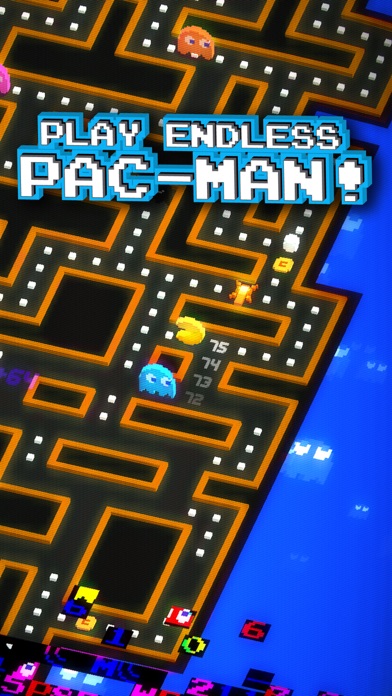
Ms. Pac-Man is the official port available as a premium purchase on iOS and works entirely offline. The game includes the original arcade ROMs and runs faithfully on modern hardware.
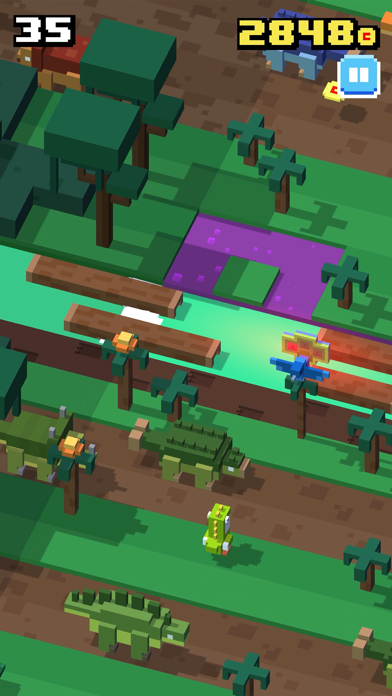
Crossy Road sits at the edge of arcade territory—it’s more puzzle-action than pure arcade, but its voxel-based maze-running and roguelike structure inherit from maze-game DNA. The game is offline-capable and offers 10–40 hours of progression before you’ve seen most content. It supports MFi controllers.
Controller Support: Play Like Console
If you own an MFi-compatible controller, several offline arcade games shine on a larger screen:
- Geometry Wars 3: Dimensions — full controller support
- Crossy Road — full MFi support
- Asteroids Gunner — touch-only, no controller support
Controller play doesn’t change the games mechanically, but it does change the feel. Analog sticks replace touch for rotation and thrust, making long sessions less fatiguing.
Storage and Battery: Practical Offline Considerations
Offline arcade games are lean. Most premium arcade titles clock in at 50–150 MB, well below the threshold where storage becomes a concern on modern iPhones. Battery drain depends on frame rate and visual complexity:
- Vector-graphics games (Geometry Wars 3, Ms. Pac-Man) run at 60 FPS with modest battery impact. On iPhone 14 Pro at 50% brightness, expect 3–4 hours of continuous play on a full charge.
- 3D voxel games (Crossy Road) demand more GPU work. On iPhone 14 Pro at 50% brightness, expect 2–3 hours of continuous play before the battery dips below 20%.
For long flights or road trips, pair any offline arcade game with a portable charger. The games themselves won’t drain your battery unusually fast.
FAQ
Do I need an internet connection to download these games? Yes, you need WiFi or cellular to download from the App Store. Once installed, they run completely offline.
Can I play offline arcade games on older iPhones? Most premium arcade games require iOS 14 or later. If you’re running iOS 12 or 13, check the App Store listing for minimum requirements before purchasing. Older vector-graphics games tend to have lower requirements than 3D titles.
Why does Geometry Wars 3 but Asteroids Gunner? Geometry Wars 3 includes more content (multiple game modes, leaderboards, controller support) and more recent development. Asteroids Gunner is a smaller, focused experience. Both are one-time purchases with no ads or IAP.
Which offline arcade game is best for beginners? Ms. Pac-Man or Crossy Road are the gentlest entry points. Both have familiar mechanics and forgiving learning curves. If you want a challenge from the start, Lunar Rescue or Orbiter demand more patience but reward it faster.
Can I refund a game if I don’t like it? Apple allows refunds within 14 days of purchase if you request them through the App Store. Go to Settings > [Your Name] > iTunes & App Store > Tap your Apple ID > View Apple ID > Purchase History, find the game, and select “Report a Problem.”
Can I sync my scores across devices? Most offline arcade games store scores locally on your device only. Crossy Road uses iCloud sync for progression, but it’s not guaranteed for all games. Check the App Store listing or developer website for your specific game.
Closing: The Arcade Endures

Offline arcade games on iPhone prove that the format doesn’t need servers, live events, or monetization tricks. A well-made arcade game—one with clear rules, honest difficulty, and craft-level polish—sustains itself through play alone. The games listed here represent the best of that philosophy: they work without WiFi, they respect your time, and they’re worth the money you pay for them.
If you’re building a library of games for a flight, a commute, or just a break from the internet, start with one that matches your play style. Price ranges from to keep the financial commitment low while ensuring you own the game outright.


