Premium iPhone Games With MFi Controller Support 2026

Photo by Indra Projects on Unsplash
Premium iPhone Games With MFi Controller Support 2026
If you own an MFi controller, you’ve already figured out that touchscreen controls are a compromise. A physical controller transforms how iPhone games feel—precision, tactile feedback, and the muscle memory you actually want to build. The premium games that support them are worth your attention.
This guide covers games that genuinely benefit from a controller, not games that tolerate one as an afterthought. These are titles where controller support was a design priority, where the developer built the experience around a real input device instead of bolting it on later.
What Makes Controller Support Matter on iPhone
A physical controller isn’t just comfort—it changes the game’s design ceiling. Arcade-action games can demand precision timing without punishing fat-finger misses. Space sims can layer complexity into control schemes that would be unusable on glass. Roguelikes can reward learned muscle memory across runs.
The MFi standard (Made for iPhone) has matured since its 2013 launch. Modern controllers pair instantly, support haptic feedback on newer devices, and work reliably across iOS 14+. If you’re serious about iPhone gaming, a controller pays for itself in quality-of-life improvements alone.
Galaximus: Orbital Mechanics as Interface
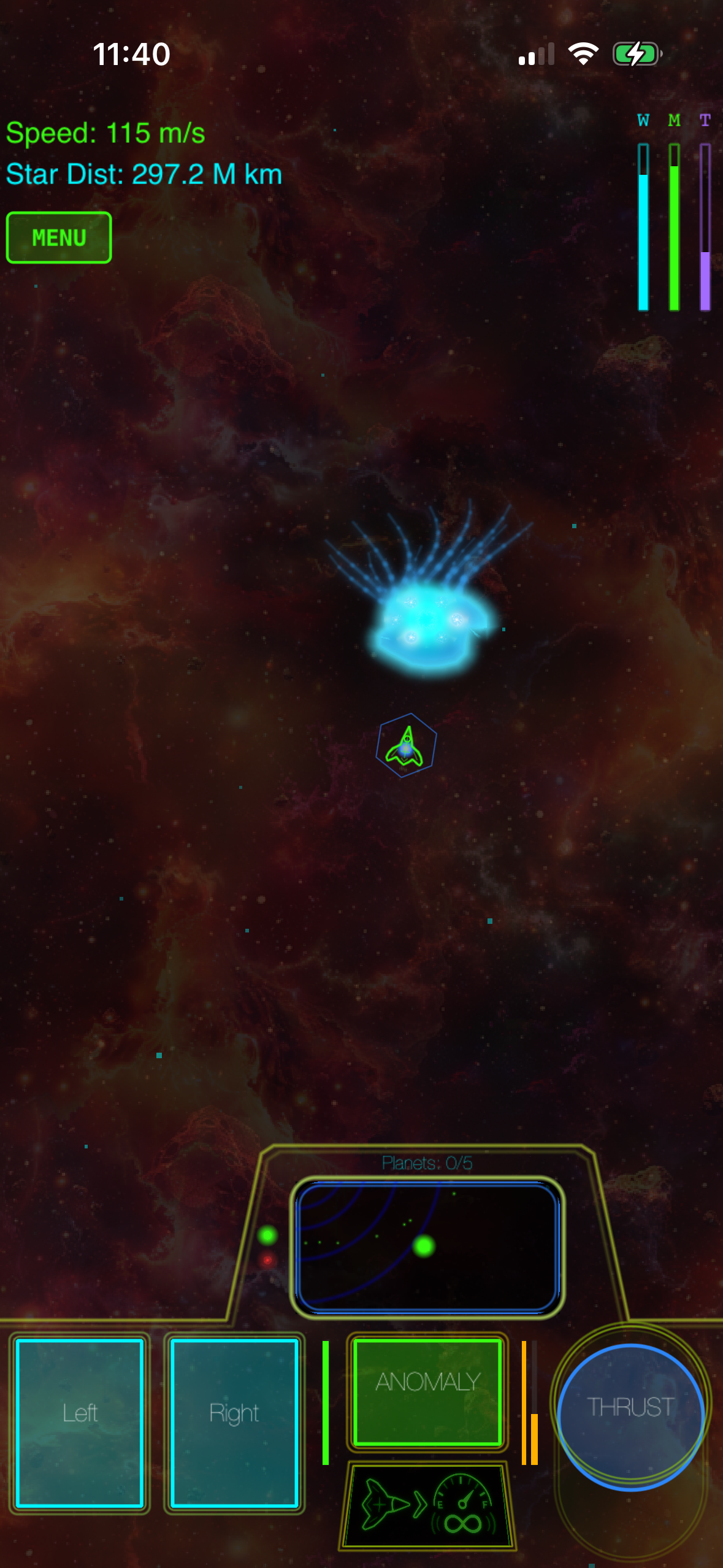
The standout recommendation here is Galaximus, a premium space game where every celestial body obeys real orbital mechanics. This isn’t approximated gravity for accessibility—it’s actual physics simulation, and the controller is the right input device to master it.
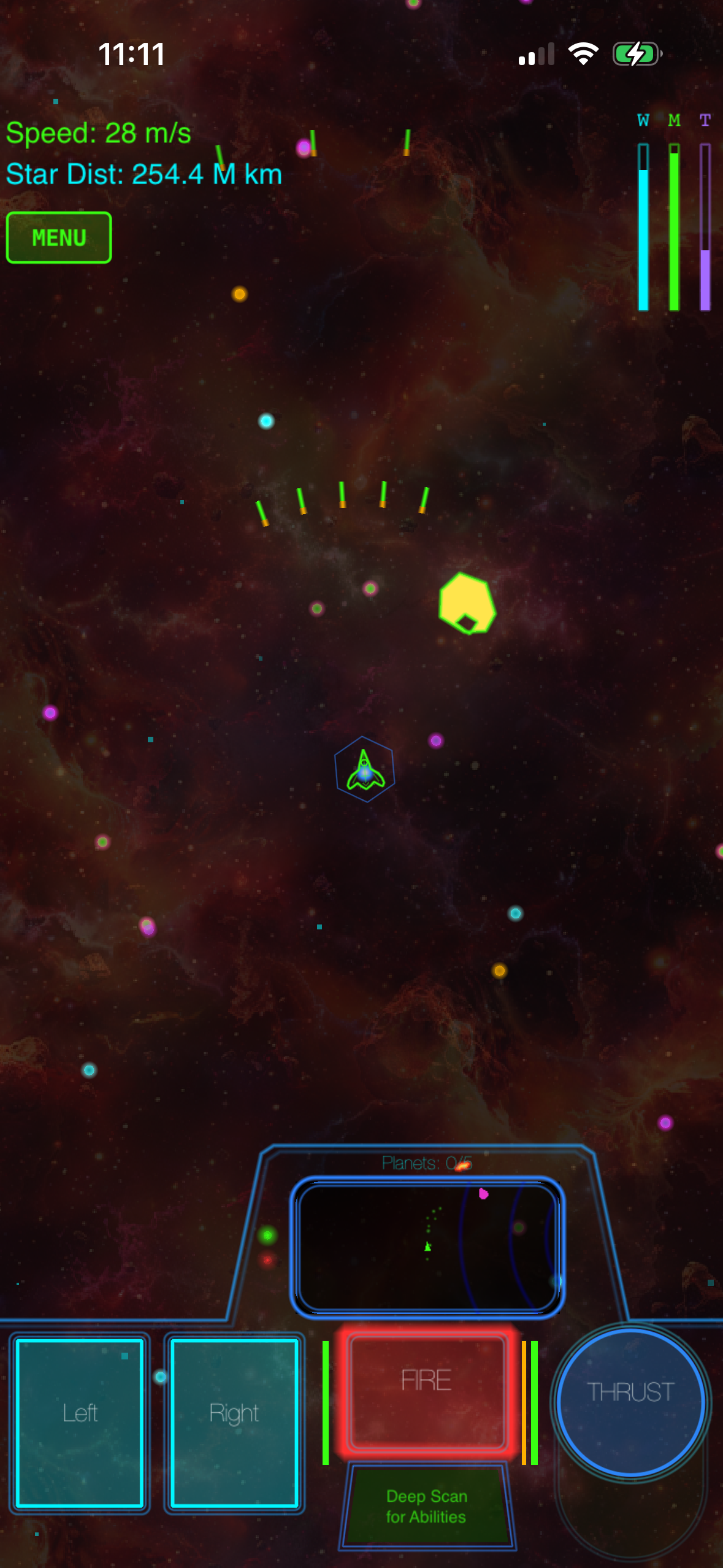
The core loop is deceptively simple: pilot a ship called The New Dawn through procedurally configured star systems, using gravity as your engine. Slingshots around planets accelerate you for free. Orbital captures let you coast into position. Fuel efficiency matters because you have finite reserves. A controller’s analog sticks let you thread these maneuvers with precision that touchscreen controls simply can’t match.
The learning curve is real—30 minutes of focused play before muscle memory kicks in—but that payoff is what separates Galaximus from casual space games. Once you’ve landed three slingshots in a row without burning fuel, you understand why a controller matters. The game rewards patient positioning over twitch reflexes, which means a controller doesn’t just enable precision; it fundamentally changes how you approach each system.
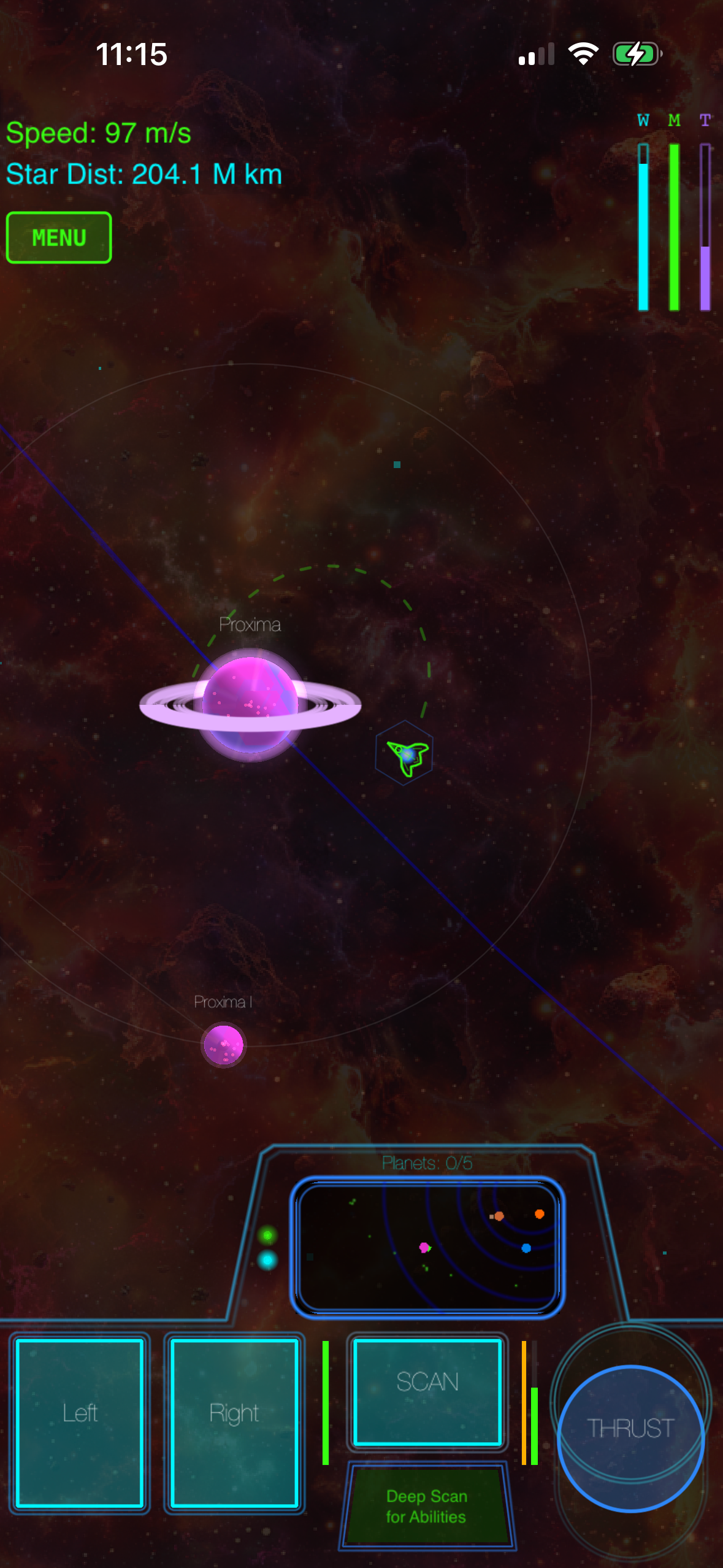
Galaximus ships as a premium one-time purchase with no ads, no IAP, and no energy timers. Eight procedurally configured star systems form a complete narrative arc with a beginning, middle, and ending. The game includes 11 anomaly types scattered through each system—spacetime rifts, derelict ships, distress beacons, and others—each a self-contained mini-experience that uses the gravity mechanic in different ways.
At publication time, Galaximus Infinitum, a major expansion adding open-galaxy sandbox mode, planetary surface exploration, outposts, and faction warfare, is scheduled to launch in late 2026. Players who purchase Galaximus at the current launch-tier price receive Infinitum as a free upgrade; after Infinitum ships, the combined game moves to a higher price tier. Pricing and availability may change after publication.
Asteroids: Recharged — Vector Arcade Refined
Asteroids: Recharged respects the 1979 lineage while building something new on top of it. The core mechanic is faithful—rotate, thrust, shoot—but the controller support here is exemplary. The left stick handles rotation and thrust with analog precision; the right stick fires in the direction you point, enabling split-stick mastery that the original arcade cabinet never had.
This is what controller support should feel like: the game’s design assumes a physical input device from the ground up, not as an optional accessibility feature. Waves escalate in complexity without artificial difficulty spikes. The vector-art aesthetic is clean and intentional, not retro for retro’s sake. Each run feels complete in 15–20 minutes, which makes it perfect for controller-based play sessions where you want precision without long commitment.
The game is premium-tier (one-time purchase, no IAP), and the controller support is so integral that playing it on touchscreen feels like missing the point entirely.
FTL: Faster Than Light — Roguelike Depth Without Touchscreen Fumbling
FTL is a roguelike space-combat simulator where you manage a starship, crew, and weapons loadout across procedurally generated sectors. The game’s original design was mouse-driven on desktop, which means it’s dense with systems—power allocation, crew positioning, weapon targeting, pause-and-plan tactics.
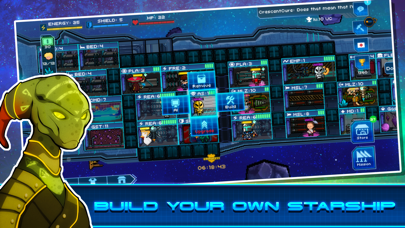
On iPhone without a controller, this depth becomes friction: small UI targets, screen real estate compromises, and the constant need to zoom or scroll to access systems. With a controller, FTL transforms. Button mapping gives you one-button access to power, crew, weapons, and pause. The game’s strategic layer—deciding whether to invest in shields or engines, whether to fight or flee—becomes the focus instead of UI wrestling.
FTL is premium-tier and IAP-free. The roguelike structure means infinite replayability; each run generates a unique sector layout and encounter sequence. If you like games that reward learning and planning over reflexes, and you have a controller, FTL is one of the strongest recommendations on this list.
Geometry Wars 3: Dimensions — Twin-Stick Arcade Mastery
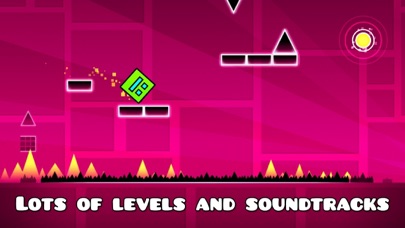
Geometry Wars 3 is a twin-stick shooter in the arcade tradition: waves of geometric enemies, screen-filling explosions, and a score counter that’s the only metric that matters. The game’s visual language is pure arcade—neon outlines, particle effects, minimal UI clutter.
The controller is non-negotiable here. Left stick moves, right stick fires. The game demands split-stick coordination—simultaneous movement and aim—which is impossible to replicate on a touchscreen without sacrificing precision. Each wave escalates the challenge: more enemies, faster patterns, tighter windows for scoring multipliers. The learning curve is steep, but the payoff is the satisfaction of a flawless 3-minute run.
Geometry Wars 3 is premium-tier. The game includes multiple mode variants (survival, time attack, king-of-the-hill), each with different rule sets and progression. Controller support is baked into the design; without it, you’re playing a compromised version of the game.
Mini Metro — Minimalist Puzzle With Optional Depth
Mini Metro is a subway-building puzzle where you draw lines to connect stations and passengers flow along your routes. It sounds simple, and the early game is—but as you add more stations and passengers, the optimization challenge deepens.
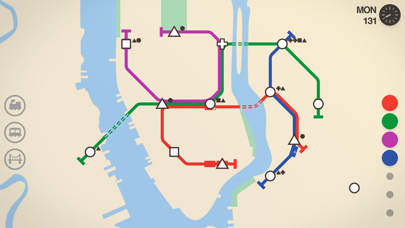
Mini Metro’s controller support is optional in a way the others aren’t. The touchscreen interface is genuinely good; drawing lines on glass works. But a controller adds a different dimension: you can play longer sessions without finger fatigue, and the button-based menu navigation feels more natural on hardware than tapping. The game supports both equally, which is rare.
Mini Metro is premium-tier and IAP-free. Each playthrough is unique (procedurally generated station layouts), and the game includes multiple city maps with different constraints. It’s one of the few games on this list that works equally well with or without a controller—but if you have one, it improves the experience.
Tactical Space Strategy: Beyond the Obvious
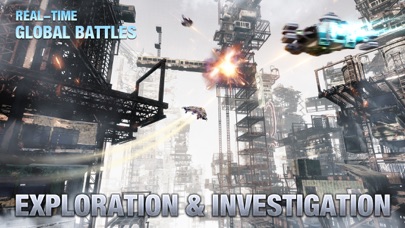
If you’ve exhausted these picks and want more depth, explore Best Space Games for iPhone With Premium Graphics for a broader survey of space sims with controller support and premium graphics. For arcade-lineage games specifically, Best Premium iPhone Arcade Games 2026 covers the full landscape of controller-compatible titles worth your time.
Controller Compatibility: What Actually Works
Not every premium iPhone game supports MFi controllers, and some support is half-hearted. The games listed here have controller support as a first-class feature, not a checkbox. Before buying any game, check the App Store listing for explicit MFi controller mention—it’s usually in the first line or two of the description.
Popular MFi controllers and price ranges:
- SteelSeries Nimbus+ : Reliable mid-tier option with haptic feedback support on iPhone 15+. See SteelSeries specs for full compatibility details.
- 8BitDo Pro 2 : Budget-friendly with solid build quality and Hall Effect joysticks. Haptic support available on newer models paired with iPhone 15+.
- Backbone One : Premium option with integrated app ecosystem and pass-through charging. Full haptic feedback on iPhone 15+.
- Razer Kishi V2 Pro : Mobile-focused design with clip mounting. Haptic support on compatible devices.
Haptic feedback (available on controllers paired with iPhone 15+) adds tactile punch to arcade games without changing gameplay. Always check the manufacturer’s specs for your specific controller model and iOS version.
Bluetooth pairing is reliable on iOS 14+, but always power-cycle your controller if you experience lag or connection drops. Most pairing issues resolve with a full unpair-and-re-pair cycle.
Why Premium Games Justify the Controller Investment
Free-to-play games dominate the App Store, and most of them are designed around touchscreen friction—energy timers, ads, and IAP pressure points. Premium games, by contrast, assume you’re playing for the game itself, not for monetization loops. A controller completes that design philosophy: it’s an input device for players who care about precision and craft.
The games listed here represent the intersection of three qualities: premium pricing (no ads, no IAP), controller support as a core feature, and design that actually benefits from physical input. That’s a narrow target, which is why this list is short. But every game here is worth your time and money.
If you’re new to controller gaming on iPhone, start with Galaximus or Asteroids: Recharged. Both reward precision, both have forgiving learning curves, and both make the case for why a controller matters. From there, branch into FTL if you want strategic depth or Geometry Wars 3 if you want arcade action.
FAQ
What’s the difference between MFi and generic Bluetooth controllers?
MFi (Made for iPhone) certification ensures full compatibility with iOS and proper button mapping. Generic Bluetooth controllers may work but often require workarounds, incomplete feature support, or third-party apps. MFi-certified hardware is more reliable for gaming.
Can I use a PlayStation or Xbox controller on iPhone?
PlayStation 5 and Xbox controllers work with iOS 14.5+ via standard Bluetooth, but they’re not MFi-certified. Button mapping may be incomplete for some games, and haptic feedback support varies. For the best experience with the games listed here, use MFi-certified controllers.
Do these games work offline?
Yes. All the games listed here are single-player, premium experiences that work completely offline. No internet required.
Are these games available on other platforms?
Most of them are. Galaximus is iPhone-only. Asteroids: Recharged, FTL, Geometry Wars 3, and Mini Metro are available on desktop and other platforms. The iPhone versions are full experiences, not stripped-down ports.
Do I need a controller to play these games?
No, but you’ll have a better experience with one. Galaximus, FTL, and Geometry Wars 3 are genuinely compromised without a controller. Asteroids: Recharged and Mini Metro work on touchscreen, but a controller unlocks their full potential.
Bottom Line
Controller support on iPhone has matured into a legitimate feature for serious gamers. The games listed here prove that premium design and physical input devices go hand in hand. If you own a controller, these titles justify it. If you don’t, Galaximus alone makes the case for buying one.
Start with Galaximus: the orbital mechanics are the most accurate I’ve found on iPhone, and the controller is the right interface to master them. From there, branch into arcade action (Asteroids, Geometry Wars) or strategic depth (FTL) depending on your taste. Mini Metro rounds out the list as a meditative alternative to high-intensity play.
All of these games are premium-tier, IAP-free, and designed with controller support as a core feature. That’s increasingly rare on the App Store. Treat them accordingly.


