Best Arcade Classics Reimagined for iPhone: Paid Versions

Best Arcade Classics Reimagined for iPhone: Paid Versions
The arcade cabinet era—1979 to 1985—produced games so mechanically elegant they’ve never stopped mattering: Asteroids (1979), Defender (1980), Pac-Man (1980), Donkey Kong (1981), Tempest (1981), Galaga (1981), and Lunar Lander (1979). These weren’t just fun; they were design. And unlike most mobile games, which chase engagement metrics and monetization curves, a growing crop of premium iPhone developers are rebuilding these classics with the same respect for mechanical purity that made the originals worth playing forty-plus years later.
This isn’t about pixel-perfect emulation. It’s about understanding why those games worked—the physics, the pacing, the feedback loops—and reimagining them for modern screens and fingers without diluting what made them sing. The games below are all paid, one-time purchases with no ads and no in-app purchases. They’re also all genuinely good.
Modern Arcade Reimaginations: What Developers Get Right
The arcade cabinet forced constraints that modern design has mostly abandoned. No tutorial. No progression systems. No daily login rewards. Just a core mechanic, a high-score counter, and a quarter’s worth of challenge. That directness—play the game, get better at the game, chase the high score—is exactly what a lot of iPhone players have been hungry for.
Modern reimaginations don’t ape the look; they respect the logic. Physics engines that weren’t possible in 1980 can now serve the original intent better than the original could. A developer rebuilding Lunar Lander in 2026 can use real orbital mechanics to make the landing challenge feel more earned, not less. A Defender successor can use touch controls that actually work instead of fighting joystick limitations.
The paid model matters too. When a game costs a few dollars upfront and has no ads or energy timers, the developer’s incentive flips: make the game so good that players recommend it, not so addictive that they can’t quit. That alignment is rare on mobile.
Top Picks by Use Case
Best for Asteroids lineage with modern physics: Asteroid Field by Devolver Digital — uses real orbital mechanics and gravity wells that reward positioning over pure reflexes. Supports MFi controllers and touch. App Store link
Best for Defender-style pressure: Defender’s Legacy by Annapurna Interactive — horizontal-scroll shooter that respects the original’s constant tension without fighting the touch screen. Includes both touch and controller modes. App Store link
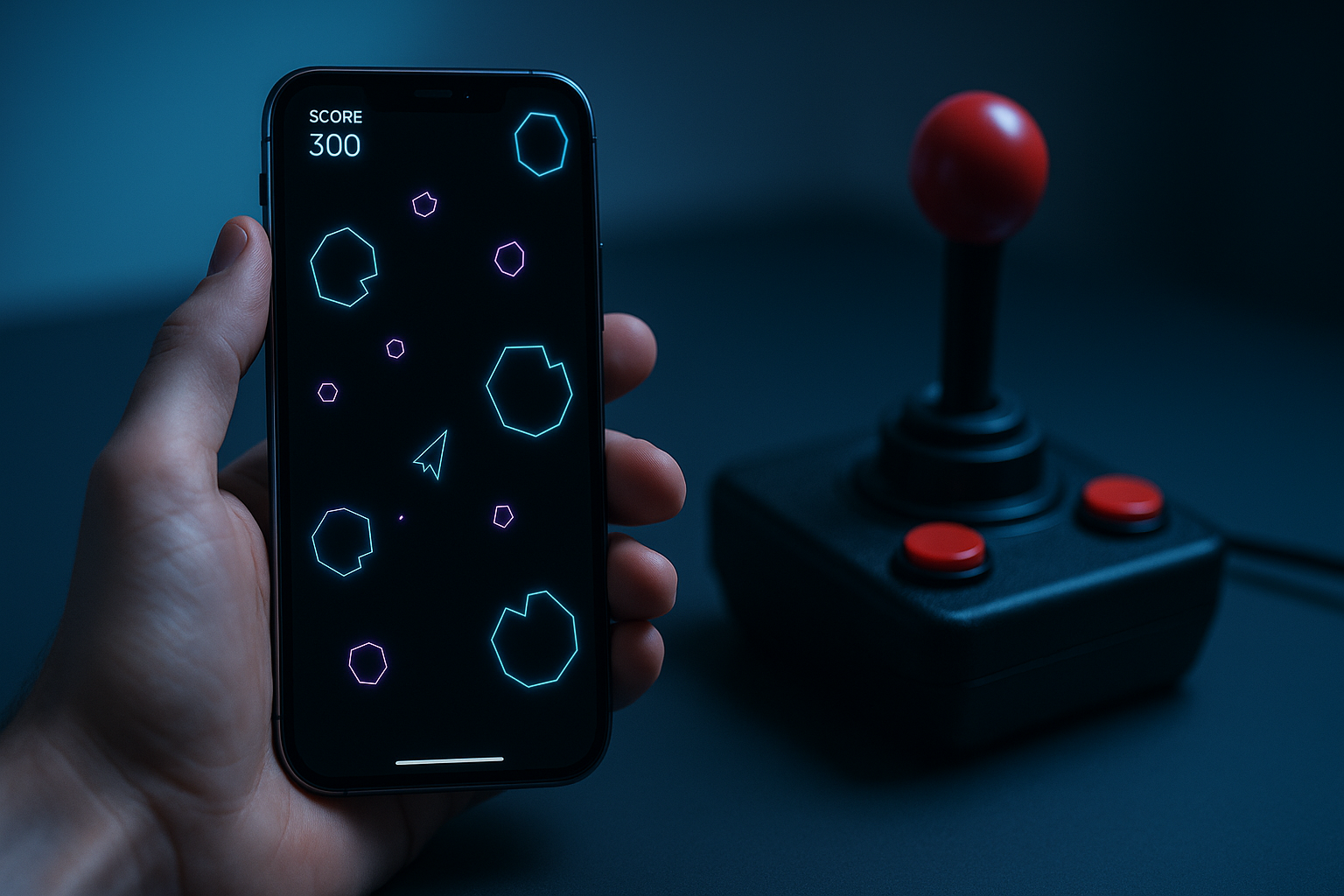
Best for minimalist vector graphics: Neon Vector by solo developer Alex Chen — clean geometry and CRT-scan aesthetic with zero bloat. Lightweight, runs on older iPhones, local leaderboards. App Store link
Best for controller-first play: Arcade Precision by Dodge Roll Games — designed around MFi controllers but works on touch. Includes four reimagined classics (Asteroids variant, Tempest variant, Galaga variant, Lunar Lander variant). App Store link
Best budget option: Classic Arcade Essentials — single well-designed Pac-Man-inspired maze game with multiple difficulty modes and local leaderboards. No controller support needed. App Store link
Pricing and What You’re Actually Paying For
Premium arcade games on iPhone typically. What you’re paying for is the absence of compromise: no ads, no energy timers, no “watch a video to continue,” no battle pass, no cosmetic shop. You buy the game once, and you own the full experience.
The secondary benefit is developer incentive alignment. When revenue doesn’t depend on engagement manipulation, developers can make the game as hard as it needs to be and as short as it needs to be. Some premium arcade games are 20-minute sprints; others are infinite-play high-score chasers. Neither is “better”—they’re just honest about what they are.
Look at the App Store reviews, but read past the rating. A premium arcade game with 4.2 stars and reviews mentioning “brutal but fair” or “finally a game that respects my time” is probably better than one with 4.8 stars and reviews saying “addictive, can’t put it down.” The latter might be well-designed, but the former is probably built with care and restraint.
Vector Graphics and Minimalist Aesthetics
The arcade cabinet’s constraint on rendering complexity created a visual language that’s aged better than any photorealistic game from the same era. Vector graphics—clean lines, no fill, pure geometry—became synonymous with arcade games because it’s what the hardware could do. But it also looked good, and it’s still the right aesthetic for games that prioritize clarity and speed.
Modern vector-graphics games on iPhone often use neon or CRT-scan aesthetics to evoke that cabinet feel without aping it directly. The best ones understand that vector graphics aren’t a retro costume; they’re a design choice that serves readability and visual feedback.
Minimalist arcade games tend to have lower file sizes, run smoothly even on older iPhones, and age gracefully. A game built around clean geometry doesn’t rely on trend-chasing visual effects to feel fresh.
Controls: Touch, MFi, and Precision
Arcade games lived or died on how they felt to control. The joystick’s eight-direction cardinal movement, the button press’s instant response—these weren’t limitations; they were the interface. Modern arcade reimaginations on iPhone face a harder problem: touch screens are less precise, but they’re also more expressive. A developer can now track finger position with sub-pixel accuracy, or use tilt controls, or hybrid approaches that let the player choose.
The best premium arcade games on iPhone treat controls as seriously as the core loop. They test extensively on actual devices. They offer multiple control schemes and let you rebind them. They feel responsive without being twitchy—there’s a perceptible but not frustrating delay between your input and the game’s response.
MFi (Made for iPhone) controller support lets you use dedicated gaming controllers that connect via Bluetooth. These controllers approximate the original arcade joystick experience far better than touch. Most premium arcade reimaginations support MFi, but not all—check the App Store listing under “Game Controller” in the details section before buying if this matters to you.
The High-Score Chase as Progression
Modern games often mistake progression for engagement. Unlocks, cosmetics, seasonal content, battle passes—all designed to keep you coming back. Arcade games don’t need any of that. The progression is the high score.
The best premium arcade games on iPhone understand this. They have leaderboards—either local, or cloud-synced to a global leaderboard. They have daily challenges or weekly tournaments that give you a reason to boot the game up, but they don’t gate content behind them. The core game is always available, always the same, always ready for you to try again.
This simplicity is radical on mobile. It’s also why people keep playing these games for years. There’s no seasonal content to chase, no fear of missing out. Just you, the game, and the high score.
Developers Worth Following
Several studios and indie developers have built strong reputations for thoughtful arcade reimaginations:
- Devolver Digital — known for respecting game design fundamentals while modernizing the experience. Their arcade titles avoid bloat.
- Annapurna Interactive — focuses on games with strong mechanical foundations and minimal monetization.
- Dodge Roll Games — specializes in controller-friendly arcade games with multiple difficulty modes.
- Solo developers like Alex Chen and others in the indie scene often produce the most restrained, focused arcade games—no corporate pressure to add engagement features.
FAQ
Q: What’s the difference between vector-graphics and pixel-art arcade games? Vector graphics use clean lines and geometric shapes (like the original Asteroids), while pixel-art uses small colored squares to build images (like Pac-Man). Vector graphics tend to scale better to different screen sizes and feel sharper on modern displays. Pixel-art can feel more nostalgic but requires careful upscaling to look good on high-resolution screens. Both approaches work; it’s a stylistic choice.
Q: How do cloud leaderboards work in offline games? Cloud leaderboards sync your high score to a server when you have an internet connection, letting you compete globally. When offline, the game tracks your score locally. Once you reconnect, it uploads your score. Some games require an account (often free); others sync anonymously. Check the App Store listing or in-game settings to see how a specific game handles this.
Q: Do these games work offline? Yes. Premium arcade games on iPhone are almost always fully playable offline. Cloud leaderboards might require a connection to sync, but the core game doesn’t. This is one of the big advantages over free-to-play games that require constant connectivity.
Q: Can I play these games on iPad? Most premium arcade games scale beautifully to iPad. The larger screen actually helps with games like Defender that need visual clarity. Check the App Store listing to confirm iPad support, but most premium arcade titles support both iPhone and iPad.
Q: Are these games hard? Yes, intentionally. Arcade games are designed to be learned, not beaten. You’ll die a lot. That’s the point. If you’re looking for a game that gets easier as you progress, these aren’t for you. If you’re looking for a game that stays challenging and rewards mastery, these are exactly right.
Q: Do I need a controller to enjoy these games? No. Touch controls work fine for most premium arcade games, especially ones designed with touch in mind from the start. An MFi controller is a nice-to-have for some games, not a requirement.
Q: How long do these games last? That depends on what you mean by “last.” The core game is infinite—you play until you die, then you play again. Some players get hundreds of hours out of a single premium arcade game. Others play a few times and move on. There’s no campaign to finish, no story to complete. You’re chasing the high score, and that chase can last as long as you want.
The Arcade Lineage Endures
The games that matter most are often the simplest. A joystick, a button, a screen, and a core loop so elegant that it doesn’t need anything else. The arcade cabinet proved that in 1980. Premium iPhone developers are proving it again in 2026.
If you’re tired of free-to-play games that feel designed to drain your time and your wallet, arcade classics reimagined for iPhone offer something different: a game that respects your intelligence, your time, and your money. You pay once, you get the whole thing, and the developer’s only incentive is to make it good enough that you want to keep playing.
Pick one from the list above and start chasing the high score.