iPhone Games That Support MFi Controllers: Complete Guide

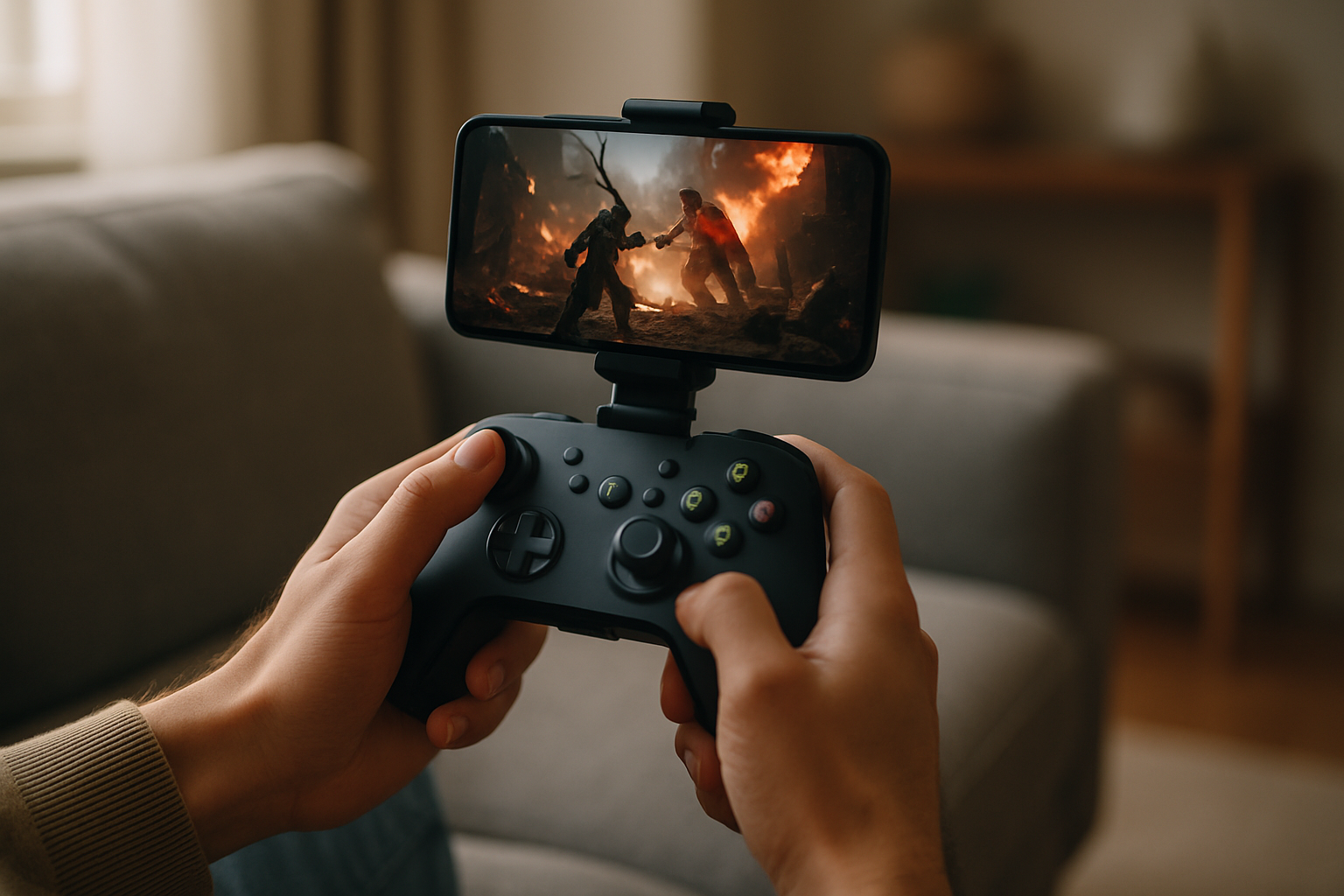
Photo by Rohit Choudhari on Unsplash
iPhone Games That Support MFi Controllers: Complete Guide
MFi controller support transforms how you play iPhone games. Instead of fighting on-screen buttons, you get tactile feedback, proper analog sticks, and the muscle memory of a real gamepad. The catch: not every game supports it, and the ones that do range from arcade classics to craft-built indie titles that genuinely benefit from hardware controls.
This guide covers which games actually ship with solid MFi support, what to expect from controller integration in each category, and how to avoid games that claim controller compatibility but halfheartedly implement it.
What MFi Controller Support Actually Means
MFi (Made for iPhone) certification means Apple tested the game with a Bluetooth gamepad and verified that controls work as intended. In practice, this ranges from full-featured button mapping to “we technically support it but the UI doesn’t adapt.”
The best MFi implementations do three things:
- Remap the entire control scheme — no on-screen buttons visible, no touch-only menus that force you back to finger controls.
- Support analog stick input — not just digital d-pad emulation, but actual analog sensitivity for steering, aiming, or movement.
- Keep the controller active throughout — menus, pause screens, and navigation all work from the gamepad, not just in-game action.
Weak implementations leave you swiping the screen to navigate menus or tapping buttons between levels. If a game forces you to touch the screen once per session, it’s not a true controller experience.
Arcade-Lineage Games With Strong Controller Support
Arcade-style games benefit most from MFi support because they were designed around physical controls in the first place. Titles that trace back to 1980s arcade formats — Asteroids, Defender, Tempest — feel native on a gamepad.
Geometry Wars 3: Dimensions (, Lucid Games, as of August 2026) remains the gold standard. The dual-stick control scheme (left stick for movement, right for aim direction) works exactly as it should on hardware. The game doesn’t compromise for touch; it’s built around analog input. Scores and leaderboards reward the precision that a controller enables.
Asteroids: Recharged (, Atari, as of August 2026) respects the lineage while modernizing the feel. Rotation, thrust, and firing map cleanly to gamepad buttons, and the analog stick gives you finer positioning control than the original arcade cabinet allowed. The game expects you to hold the controller; it doesn’t apologize for that.
Pac-Man Party Royale (Free with in-app purchases, Bandai Namco, as of August 2026) supports MFi cleanly, though it’s less demanding than pure arcade action. If you want something gentler but still controller-native, this works well.
The risk with arcade games: some developers add MFi support as an afterthought, leaving the on-screen d-pad visible and responsive. That splits your attention. The games listed above don’t do that.
Action and Combat Games
Action games on iPhone often struggle with controller support because developers built them around swipe and tap inputs. True MFi support means rethinking the entire control flow.
Into the Breach (, Subset Games, available on iOS as of August 2026) is a turn-based tactical game that demonstrates how well MFi works when the developer commits. Every menu is navigable from the controller. No touch required.
Steuerhilfe (availability and pricing vary by region as of August 2026) is a physics-based action puzzle game where the analog stick gives you precise control over forces that would feel clumsy with touch.
Note: Availability of action titles with MFi support varies significantly by region. Before purchasing, verify current App Store availability in your location, as licensing and distribution agreements affect which games appear in different territories.
The warning: many action games add MFi as a checkbox feature without redesigning the UI. If you see on-screen buttons overlaid on a controller-enabled game, that’s a sign the developer didn’t fully commit.
Indie and Craft-Built Titles
Indie developers often ship MFi support because their audience values precision and control. These are games where you notice the craft in every system, including input handling.
Threes! (, Sirvo, as of August 2026) uses MFi for navigation and input, though the touch-based gameplay is still available. The controller version feels less essential here, but it’s implemented cleanly.
Alto’s Adventure (, Snowman, as of August 2026) supports MFi for the single-button input model. This game is built around one mechanic (tap to jump), so controller support is straightforward and works well.
Crossy Road (, Hipster Whale, as of August 2026) supports MFi with full menu navigation and in-game control. It’s a good example of an indie title where the developer thought through the full controller experience, not just in-game action.
The indie advantage: smaller teams often have direct relationships with their player base. If the community asks for MFi support, they’re more likely to build it properly.
Racing and Driving Games
Racing games are obvious candidates for controller support — analog sticks are made for steering. The question is whether the game actually uses analog input or just treats the stick as a digital left/right input.
For premium racing titles with MFi support, look for games that explicitly mention “analog stick steering” in their feature list. If the description only says “controller support” without detail, the steering is probably digital.
Note: Free-to-play racing games like Real Racing 3 and Asphalt 9: Legends do support MFi with proper analog steering, but they fall outside our usual premium-game coverage due to ad-supported and aggressive monetization models. If you’re willing to tolerate those trade-offs, their control implementation is solid.
Strategy and Puzzle Games
Controller support in strategy and puzzle games is less about reflexes and more about navigation and menu flow. These games often benefit from MFi because you can play them on a couch without hunching over the screen.
Civilization VI (, Firaxis Games, availability varies by region as of August 2026) supports MFi for menu navigation and unit control. The game is turn-based, so real-time precision doesn’t matter — controller support here is about comfort and interface accessibility.
The advantage here: strategy games rarely need to compromise. If they support MFi, they usually do it well, because the control scheme is simpler.
How to Find Games With Solid MFi Support
Not every game that claims MFi support deserves your time. Here’s how to filter:
-
Check the App Store description — look for phrases like “full controller support,” “analog stick input,” or “controller-optimized UI.” Vague mentions of “MFi compatible” are a yellow flag.
-
Read recent reviews from the last 30 days — search for “[game name] MFi controller” on Reddit (r/iosgaming is the main hub) or TouchArcade forums. Players will mention if controller support is half-baked. MFi support can change with app updates, so prioritize feedback from the last month.
-
Watch a short gameplay video — if the YouTuber is using a controller and never touches the screen during gameplay, that’s a good sign. If they’re tapping buttons between levels, the implementation is incomplete.
-
Test it yourself if possible — many games offer lite versions or free-to-play variants. Try the controller experience before committing to a premium purchase.
Common MFi Support Pitfalls
On-screen buttons that don’t disappear — The game renders controller-mapped buttons on top of the gameplay. This defeats the purpose of using a controller.
Menu navigation requires touch — You can play the game with a controller, but you have to tap the screen to navigate the pause menu, settings, or level select. That’s a broken experience.
Analog sticks treated as digital input — The game accepts controller input but maps it as simple left/right or up/down, ignoring stick sensitivity. This wastes the controller’s precision.
No button remapping — The game hard-codes button assignments with no way to customize them. If the default layout doesn’t work for you, you’re stuck.
FAQ
What’s the difference between MFi and generic Bluetooth controllers? MFi (Made for iPhone) controllers are certified by Apple and guaranteed to work with games that support the standard. Generic Bluetooth controllers may work with some games, but support is inconsistent. MFi-certified controllers like the SteelSeries Nimbus or 8BitDo Pro offer broader compatibility.
Why do some games hide on-screen buttons and others don’t? Games with full MFi implementation hide on-screen buttons because all input flows through the controller. Games with partial MFi support keep on-screen buttons visible because they haven’t redesigned the UI for controller-only play. If buttons are visible, the developer didn’t fully commit to controller integration.
Does MFi controller support cost extra, or is it included in the game? It’s built into the game. If a game supports MFi, you get it for free when you buy or download. The controller itself is a separate purchase.
Are there games that work better with a controller than without? Yes. Arcade-lineage games and action titles benefit most. Puzzle games and strategy games often feel equally good on touch or controller, while some casual games are actually better on touch.
How do I know if a game’s MFi support is worth using? If the game has no on-screen buttons during gameplay and all menus work from the controller, it’s worth using. If you see touch buttons overlaid on the screen, the implementation is incomplete.
Closing Thoughts
MFi controller support separates games that respect precision input from games that treat it as a checkbox feature. The best titles — arcade games, action roguelikes, and craft-built indie games — were either designed with controllers in mind or thoughtfully adapted to them.
Before buying a premium game for its controller support, verify that the implementation is complete. No on-screen buttons. Full menu navigation. Analog stick input that matters. That’s the standard that separates a real controller experience from a half-hearted one.