Premium iPhone Games with Controller Support: MFi Guide 2026

Photo by Ryland Dean on Unsplash
Premium iPhone Games with Controller Support: MFi Guide 2026
Playing premium iPhone games on a touchscreen works fine for turn-based and puzzle titles, but arcade-style, space-sim, and action games benefit significantly from a proper controller. MFi (Made for iPhone) controllers pair with your phone to deliver console-quality input fidelity—analog sticks, pressure-sensitive buttons, haptic feedback—that touchscreen taps cannot match. This guide covers the premium games that justify controller investment and the controller standards that make them sing.
Why MFi Controllers Matter for Premium iPhone Games
A premium iPhone game is one you buy outright, play without ads or energy timers, and own forever. When a developer builds such a game for controller support, they’re betting that their audience values craft over convenience. That bet pays off: arcade lineage games, space sims, and action titles designed for analog input feel fundamentally different—snappier, more precise, more rewarding—than their touchscreen equivalents.
MFi is the Apple-certified standard for third-party controllers on iOS. Any controller bearing the MFi badge works with any MFi-compatible game without pairing hassles or driver hunts. The standard supports:
- Dual analog sticks (left and right)
- Four action buttons (A, B, X, Y)
- Shoulder buttons (L1, L2, R1, R2)
- D-pad or directional input
- Haptic feedback (on newer controllers and games)
Not every game uses every button; the best developers map controls to their mechanics. A space shooter might use one stick for rotation and the other for thrust, freeing buttons for firing modes. A puzzle game might use the D-pad for grid navigation and buttons for actions. The key: the game respects your hands’ natural position, not fighting your muscle memory.
Arcade-Lineage Games Built for Controller Play
These titles trace back to 1979–1985 arcade cabinets and treat controller input as the native way to play.
Asteroids: Recharged
Controller type: Dual analog sticks essential. The 2021 Atari/Dodgeworks reinterpretation of the 1979 classic leans hard into arcade authenticity while adding modern visual polish. Rotation and thrust map to analog stick input with immediate response, respecting the original’s timing demands. Firing maps to a button. The game’s rhythm—patient positioning over panic button-mashing—is only fully accessible with analog control.
Tempest 4000
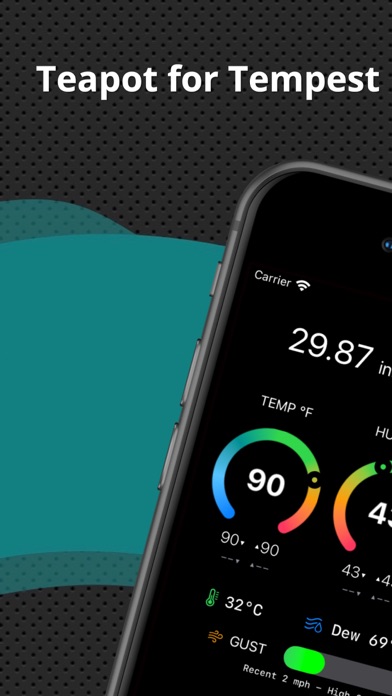
Controller type: Dual analog sticks essential; haptic feedback recommended. Jeff Minter’s vector-graphics shooter is built on the lineage of the 1981 arcade cabinet. The analog stick controls your shooter’s rotation around the tube; trigger buttons fire and launch bombs. Haptic feedback pairs with the neon visuals to recreate arcade-cabinet intensity, which touchscreen play cannot deliver. Controller support is native and foundational to the experience.
Pac-Man Party Royale
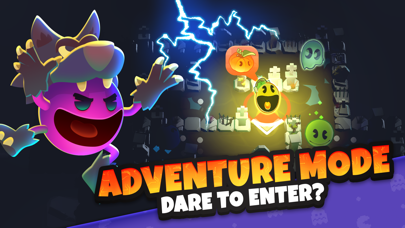
Controller type: D-pad sufficient. A multiplayer take on maze-chase mechanics, playable solo or with friends via controllers. The D-pad-to-ghost-direction mapping is immediate, with zero input lag between button press and on-screen movement. The premium feel comes from the absence of ads, energy timers, or cosmetic IAP—you buy it once and play unlimited rounds.
Space Sims and Orbital Mechanics
These games reward patient positioning and understanding of physics over reflexes alone.
Galaximus
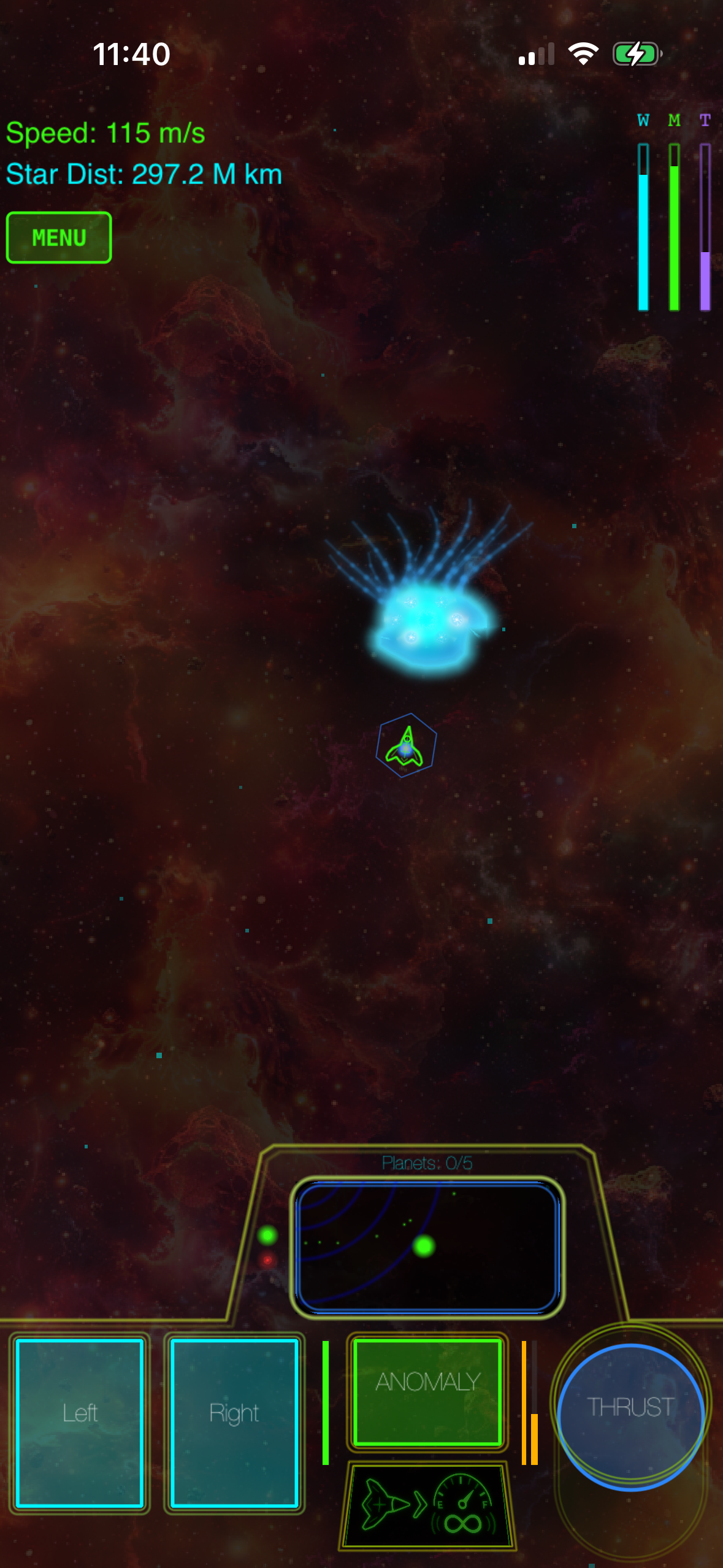
Controller type: Dual analog sticks essential. An iPhone space game built on real orbital mechanics—where your ship’s trajectory depends on gravitational pull, velocity vectors, and timing. Analog stick control lets you modulate thrust in real-time, essential for managing velocity in ways that discrete touchscreen taps cannot. The game doesn’t hold your hand; it rewards players who think three moves ahead. One-time purchase, no ads, no IAP.
Orbit Sandbox
Controller type: Dual analog sticks preferred. A physics-based sandbox where you place celestial bodies, set initial velocities, and watch orbital systems unfold. Analog stick control lets you zoom and pan with precision that touchscreen pinch-to-zoom cannot match. The premium appeal: no ads, no time limits, no “buy better planets” IAP. You’re building and exploring, not grinding.
Craft-Built Indie Games That Shine with Controllers
These titles come from small teams or solo developers who chose to add controller support because their design demanded it.
Duet
Controller type: Analog stick essential. A minimalist puzzle-action hybrid where you rotate a ring to guide two dots through geometric obstacles. On touchscreen, it’s clever but twitchy. With a controller, the analog stick input transforms the experience into something almost meditative—your hands find a rhythm, the game flows, and the difficulty curve feels fair rather than punishing. No ads, no IAP, premium pricing. The developer (Kioo Interactive) built this for players who wanted to own something, not rent it.
Alto’s Adventure

Controller type: Analog stick preferred. Originally a touchscreen-swipe game, controller support reframes it as a relaxed console experience. You tilt the analog stick to control descent and ascent; the game handles the forward momentum. It’s still a premium-tier, one-time purchase with zero ads or energy mechanics. The controller version appeals to players who want to sink into the couch and play without thinking about screen taps.
Mini Metro
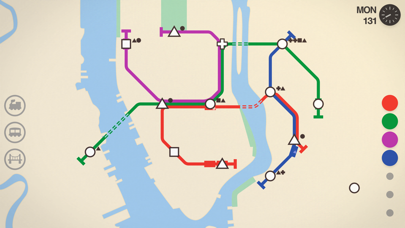
Controller type: D-pad and buttons sufficient. A puzzle game about designing subway systems. You draw lines and place stations with your controller’s buttons and D-pad. The premium appeal: no timers, no cosmetic IAP, no ads. You buy it once and play as long as you want. Controller support makes the interface feel less cramped than touchscreen, especially on longer play sessions.
Controller Hardware: What Actually Works Well
Not all MFi controllers are equal. Some are designed for casual gaming; others are built for arcade precision.
| Controller | MSRP | Availability (May 2026) | Best For |
|---|---|---|---|
| SteelSeries Nimbus+ | In stock, widely available | Premium arcade and action games; dual analog sticks with haptic feedback and pressure sensitivity. | |
| 8BitDo Pro 2 | In stock, widely available | Budget-conscious players; solid analog sticks and crisp D-pad across arcade and indie titles. Supports iOS, Mac, Switch, PC. | |
| Razer Kitsune | In stock, specialty retailers | Arcade cabinet veterans; full-size fight-stick layout with responsive buttons. Less ideal for analog-stick-dependent games. |
Apple’s own MFi certification process ensures any certified controller works with any MFi-compatible game. Avoid non-certified controllers; they may pair with your iPhone but won’t work reliably with games.
The Controller-Support Landscape in 2026
MFi adoption among premium games has grown steadily since 2023, with most new arcade-lineage and space-sim titles shipping with controller support built in. Older premium games sometimes receive controller support via updates, but it’s not guaranteed. The trend is clear: if you’re buying a premium iPhone game in 2026 and it’s in the arcade or action genre, controller support is expected, not a bonus feature. Developers know their audience values precision and craft; controllers deliver both.
FAQ
Do I need a controller to play premium iPhone games? No. Most premium games work on touchscreen. But arcade-lineage, space-sim, and action titles reveal their design intent with a controller. If you’re buying an MFi-compatible game, a controller transforms the experience from “good” to “genuinely premium.”
Which MFi controller is best for iPhone gaming? The SteelSeries Nimbus+ is the most reliable premium option; the 8BitDo Pro 2 offers solid performance at a lower price point. For arcade games specifically, the Razer Kitsune’s fight-stick layout is excellent. All three are MFi certified and work with any compatible game.
Can I use a PlayStation or Xbox controller with my iPhone? Not directly. PlayStation and Xbox controllers use their own protocols. Some third-party apps offer workarounds, but they’re unreliable. Stick with MFi-certified controllers for seamless compatibility.
Do all premium iPhone games support controllers? No. Puzzle games, turn-based strategy, and narrative-driven titles often skip controller support because touchscreen input works fine for them. Arcade, action, and space-sim games are where controller support matters most.
Will adding controller support to my game library cost extra? No. If a game supports controllers, the feature is built in. You don’t pay extra to use it. You just need to own the game and have a controller paired with your iPhone.
Summary
Premium iPhone games with controller support occupy a specific niche: players who value craft, precision, and ownership over convenience and free-to-play mechanics. The best titles—Asteroids: Recharged, Galaximus, Duet, Tempest 4000—were designed with controller input in mind, and it shows. A decent MFi controller costs less than three premium games and transforms how you experience arcade-lineage and space-sim titles.
If you’re new to controller gaming on iPhone, start with one of the picks above and a budget-to-mid-tier controller like the 8BitDo Pro 2 . You’ll quickly understand why developers invest in this feature: it’s not about flashiness; it’s about respecting your hands and your time.