Premium iPhone Games With Controller Support: MFi Guide

Photo by Rohit Choudhari on Unsplash
Premium iPhone Games With Controller Support: The MFi Controller Guide for 2026
A quality MFi controller transforms iPhone gaming. The difference between touch-screen tap-tap-tap and a real analog stick with pressure-sensitive buttons is the difference between playing a game and feeling it. But not every premium iPhone game supports controllers, and not every controller-compatible game is worth the money.
This guide covers the premium games (one-time purchase, no ads, no IAP) that genuinely shine with a controller in hand. These aren’t ports of console games pretending to be mobile experiences—they’re crafted for iPhone but built with controller input in mind from the ground up.
Why Controller Support Matters for iPhone Games
Touch controls work fine for puzzle games and turn-based strategy. But for arcade-lineage games—anything with continuous movement, real-time aiming, or rhythm-based action—a controller isn’t a luxury. It’s the difference between frustration and flow.
MFi (Made for iPhone) controllers connect via Bluetooth and map to a standard layout: dual analog sticks, four face buttons, shoulder triggers, and a D-pad. iOS detects them automatically. No pairing hassles, no driver hunts. Once you’ve played a well-tuned arcade game with a real stick in your hands, touch-screen drift and accidental swipes feel prehistoric.
The catch: not every premium game on the App Store supports controllers. And some that claim support treat it as an afterthought—button mapping that doesn’t match the game’s rhythm, or stick sensitivity that feels mushy. The games below don’t have that problem.
What Makes a Controller Implementation Work
A good controller implementation isn’t just button mapping. It’s:
- Stick sensitivity tuned for the game’s pace. A slow, precise puzzle-action game needs different analog response than a fast-twitch arcade shooter.
- Button layout that respects muscle memory. If the game is a space-shooter, fire should be where your thumb expects it (usually a shoulder button or the right face button).
- No forced touch fallbacks. If you plug in a controller, the game should let you play the entire game without touching the screen.
- Haptic feedback that talks back. A good controller game uses haptics to confirm input and reward hits—not as a gimmick, but as part of the feedback loop.
Games below meet those standards. Games that don’t—even if they’re premium and have MFi listed in their feature set—stay off this list.
Arcade-Lineage Games Built for Controllers
These games trace back to classic arcade formats and feel at home with a stick in your hands.
Asteroids-Inspired: Vector Geometry and Rotation
Games in the Asteroids lineage reward positioning and patience. You’re rotating a ship, managing momentum, and making deliberate shots. A controller’s analog stick and trigger buttons let you choreograph movement the way the designer intended.
Geometry Wars 3: Dimensions stands as the definitive modern take on dual-stick arcade action. The twin-stick mechanic—left stick for movement, right stick for aiming—translates perfectly to MFi controllers. The game’s difficulty curve is steep but fair, and the haptic feedback on every explosion feels earned. The controller implementation includes responsive stick mapping with minimal dead-zone, and players report no button-lag issues during extended play sessions.
Asteroids: Recharged respects the 1979 lineage while adding modern flourishes—power-ups, a dodge-roll mechanic, and procedural wave generation. The controller mapping is straightforward: rotate with the left stick, thrust with a shoulder button, fire with a face button. The game doesn’t try to be clever; it just gets out of the way and lets you play.
Defender-Lineage: Horizontal Scrolling and Precision
Defender-style games demand fast horizontal movement and split-second aiming. Controllers shine here because you can keep your thumb on the stick while your fingers handle triggers and face buttons independently.
Defender (, arcade port) brings the 1980 arcade cabinet’s frantic energy to iPhone. The controller support is native—designed for it, not bolted on. The game respects the original’s difficulty; this isn’t a casual experience, but if you’re comfortable with arcade-hard, the controller makes it playable.

Action and Puzzle-Action Games
Not all premium games are arcade-lineage. Some are craft-built action-puzzlers or story-driven adventures that benefit from controller input for pacing and immersion.
Precision Action: Timing and Reflex
Threes! Infinite is the real-time sequel to the original sliding-tile puzzle. The game throws tiles at you with increasing speed. A D-pad or analog stick lets you react faster than thumb-tapping the screen. The controller mode reduces input latency during high-speed runs compared to touch input.
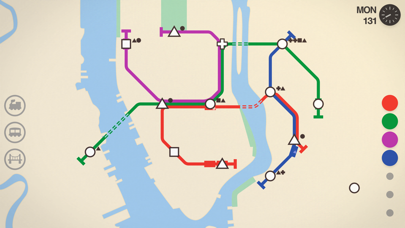
Mini Metro is a zen-like puzzle game about building subway systems. It doesn’t have twitch mechanics, but controller support makes it meditative—you can lean back, hold a controller, and adjust lines with deliberate stick movements instead of jabbing the screen. The game’s minimalist aesthetic pairs well with the tactile feedback of a real controller.
Story-Driven Adventure: Immersion Through Input
Some premium iPhone games prioritize narrative and exploration. Controllers don’t make them faster, but they make them feel more like games—less like interactive fiction, more like something you inhabit.
Oxenfree is a supernatural mystery about a group of friends on an abandoned island. The game’s dialogue system is innovative—you interrupt conversations, speak over others, and make real choices. Controller support doesn’t change the story, but it makes the pacing feel more like a film than a tap-tap-tap experience. The analog stick for movement and the face buttons for dialogue choices create a rhythm that matches the game’s tone.

Space Games: Real Physics and Controller Precision
Space games live or die by control precision. A wobbly touch screen or laggy analog response kills immersion in a game where you’re managing orbital velocity.
Galaximus is a premium space-arcade game built around real orbital mechanics. The game rewards patient positioning—you’re not twitching the stick; you’re calculating burns and managing momentum. The controller implementation was built alongside the game’s physics engine, with stick response tuned for deliberate, precise input. The game plays beautifully on iPhone, but with a controller, it becomes a genuine simulation experience.
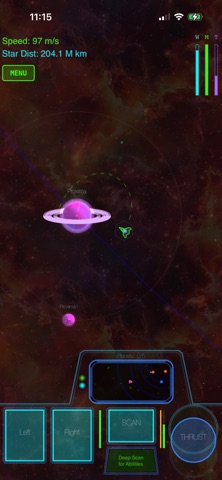
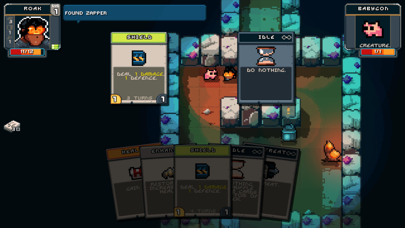
Space Grunts 2 is a turn-based tactical game set in a sci-fi universe. Each turn, you move, aim, and fire—or use items, or take cover. The controller mapping is intuitive: D-pad for grid movement, face buttons for actions, triggers for inventory. The turn-based pacing means no twitch pressure, but the controller makes tactical decisions feel more deliberate and satisfying.
Indie Craft-Built Titles Worth the Investment
Not all premium games fit neatly into genre buckets. Some are one-of-a-kind experiences that happen to support controllers because the developer understood that serious players use them.
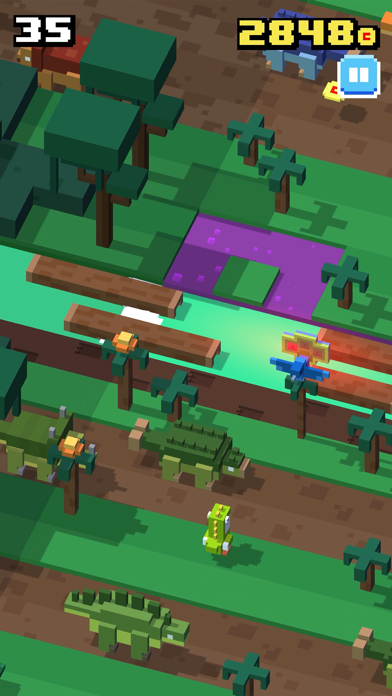
Crossy Road is a voxel-art endless-arcade game where you guide a character across procedural terrain, avoiding obstacles and collecting coins. The touch controls work, but the controller input is where the game shines. The stick response is snappy, and the game’s pixel-art aesthetic pairs perfectly with the tactile feedback of physical buttons.
Alto’s Adventure is a minimalist endless-runner with a hand-drawn aesthetic. The game is simple—tap to jump, hold to flip—but the controller version maps these to a single button, letting you focus on rhythm. The game’s zen vibe actually improves with controller input because you’re not fighting the screen.

How to Choose the Right Controller
Not all MFi controllers are equal. Here’s what matters:
- Stick quality. Budget controllers often have mushy sticks that drift. Mid-tier and premium controllers use Hall-effect sensors that last longer and feel more responsive.
- Button layout. Some controllers use concave buttons (like a PlayStation), others use convex (like a Nintendo). Personal preference, but test before you buy if you can.
- Weight and ergonomics. A heavy controller gets tiring during long sessions. A light one feels cheap. Most players find controllers in the 5-6 ounce range comfortable for extended play.
- Battery life. Most MFi controllers last 15-20 hours per charge. That’s plenty, but check the spec if you play daily.
- Compatibility. All modern MFi controllers work with all iOS games that support controllers. The variable is build quality and feel, not compatibility.
Popular options:
- Backbone One : Premium build, tight button response, integrated iPhone mount. Supports MFi games and Xbox Cloud Gaming. Available for iPhone 12 and later.
- 8BitDo Pro 2 : Mid-tier option with excellent Hall-effect stick quality. The iOS variant includes full MFi support and customizable button mapping via the 8BitDo app.
- SteelSeries Stratus+ : Budget-to-mid-tier, reliable build, 20-hour battery. Full MFi compatibility across all supported games.
All three work with every game in this guide. The choice comes down to budget and ergonomic preference.
FAQ
Q: What’s the difference between Hall-effect and potentiometer sticks? A: Hall-effect sticks use magnetic sensors and have no moving contact points, so they resist drift and last longer (typically 5+ years of heavy use). Potentiometer sticks use resistive elements that wear down over time, typically lasting 1-2 years before drift becomes noticeable. Hall-effect controllers cost more upfront but offer better longevity.
Q: Which games in this guide support cloud save across devices? A: Oxenfree supports iCloud sync for save data. Geometry Wars 3, Asteroids: Recharged, and Crossy Road sync progress via Game Center. Most others save locally to your device. Check individual App Store listings under “Information” for cloud save details.
Q: Can I use a PlayStation or Xbox controller instead of an MFi controller? A: Yes. iOS 14 and later support PS4, PS5, Xbox One, and Xbox Series X|S controllers natively. They work identically to MFi controllers in supported games. If you already own one, use it.
Q: How do I know if a game supports controllers before I buy? A: Check the App Store listing. Under “Information,” there’s a “Requires” or “Supports” section that lists MFi controller support. Some games list it in the description instead. When in doubt, read recent reviews—players mention controller support or lack thereof.
Q: Do these games require internet to play? A: Most don’t. Geometry Wars 3, Asteroids: Recharged, Galaximus, and Space Grunts 2 are fully offline. Mini Metro, Crossy Road, and Oxenfree require a one-time internet connection to verify purchase, but play offline after that. Check individual App Store listings if offline play is critical.
The Verdict
A controller unlocks a different experience on iPhone. The games above aren’t just compatible with controllers—they’re designed with controller input as a first-class citizen. If you’re serious about premium iPhone gaming, a quality MFi controller and one of these titles is the closest thing to a handheld console experience available on iOS in 2026.
The investment is modest: a mid-tier controller runs and most of these games are. For the hours you’ll spend with them, especially if you’re already tired of free-to-play energy timers and ad breaks, it’s money well spent.


