Best iPhone Games Under $5 in 2026: Premium Picks

Photo by Ofspace LLC on Unsplash
The Best iPhone Games Under $5 in 2026 (Pay Once, Done)
The under- tier is the most interesting price band on the App Store. It’s expensive enough to filter out the energy-timer crowd and cheap enough that a misfire only stings for an afternoon. The games below are all one-time purchases — no IAP, no ads, no battle pass — and every one of them earns the asking price.
A note on the math: prices on the App Store shift with regional storefronts, sales, and developer whim. Everything in this list was sitting under the USD threshold in the weeks leading up to publication. Tap the screenshot to see the live App Store price; that’s the only number that’s actually current.
Quick picks by player type
If you don’t want to read the whole thing, here’s the short version:
- Best for 5-minute sessions: Threes!, Downwell
- Best for 30-minute commutes: Mini Metro, Mini Motorways
- Best for deep strategy: Slay the Spire, Pawnbarian
- Best for arcade reflexes: Galaximus, Downwell
- Best for puzzle-and-think: Card Crawl Adventure, Mini Metro
- Best one-and-done campaign: Card Crawl Adventure
- Best infinite replay: Slay the Spire, Mini Motorways
What “under $5” actually buys you in 2026
The premium iPhone market has matured. The under- band is no longer the bargain bin — it’s where a lot of small studios price their flagship release because they know iPhone players are wary of anything more expensive without a refund window. You get full games here, not demos.
What you should expect at this tier:
- A complete game with a defined ending or a deep enough loop to justify the buy
- No advertising, no “watch a video to continue,” no currency popups
- Reasonable update cadence (or a stable, finished build that doesn’t need updates)
- Universal binary — runs on iPhone and iPad off one purchase
What you should not expect:
- AAA production values
- Years of post-launch content drops
- Multiplayer infrastructure (a few exceptions, but rare)
Mini Metro
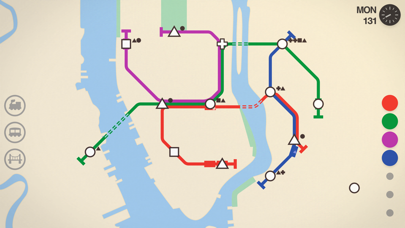
Dinosaur Polo Club’s transit-line puzzler has been sitting in this price tier for years and has earned its permanence. It’s the canonical example of minimalist design done right: colored shapes representing stations, lines you draw with a fingertip, and a slowly tightening difficulty curve as the city outgrows your network.
The reason it belongs on any under- list is replayability. Each city has its own quirks — London’s river crossings, Hong Kong’s island geography, Auckland’s sprawl — and the daily challenge mode gives you a fresh seed every 24 hours. The iOS version includes all 23 cities from the desktop release, the daily and weekly challenge modes, endless and extreme difficulty options, and full iCloud save sync.
Best for: 20–40 minute sessions where you want to think but not panic.
Threes!
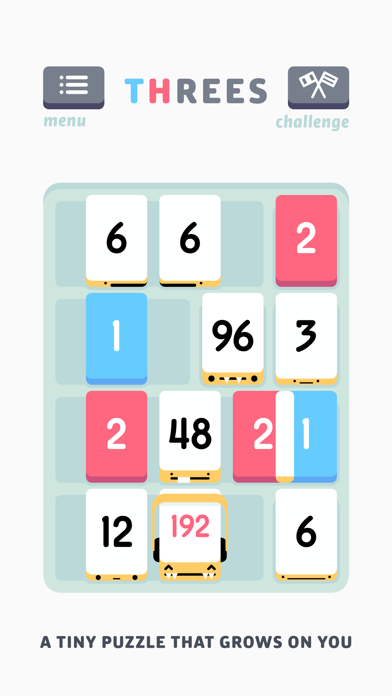
The original number-tile puzzler, not the dozen knockoffs that followed it. Sirvo’s design is tighter than 2048 in ways that only become obvious after a few hours: every swipe matters, the music is part of the feedback loop, and the little number characters have personalities the imitators never bothered to write.
It’s been at the budget-tier price for years. The argument for buying it instead of playing a free clone is the same argument for buying any well-made tool: the friction is gone, the edges are smooth, and you’ll still be playing it five years later.
Best for: sub-5-minute sessions, one-handed play, the lock-screen-to-game pivot.
Galaximus
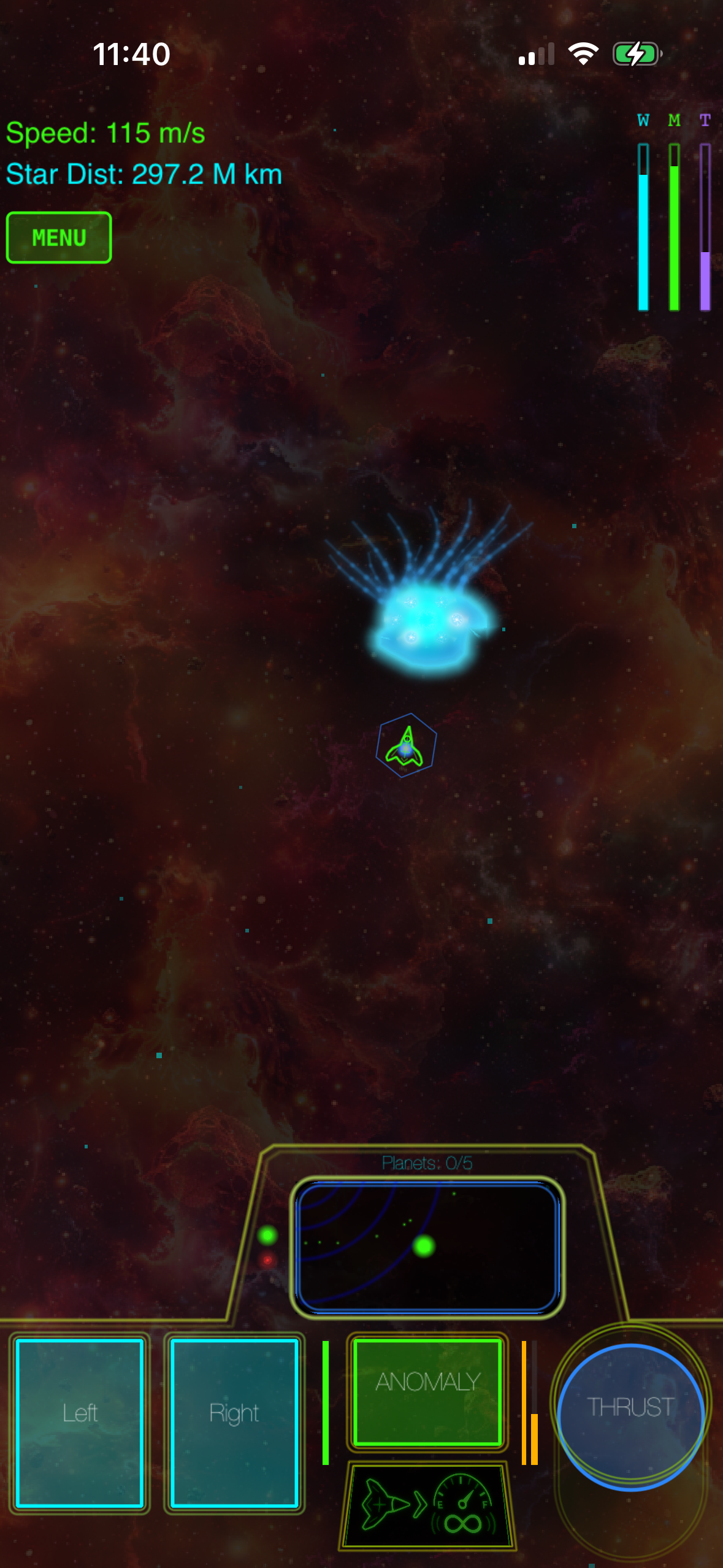
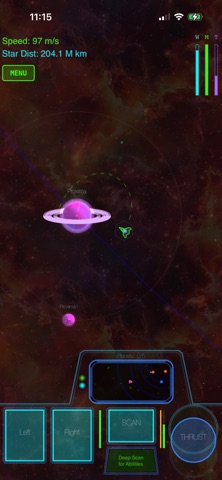
Galaximus is the most interesting Asteroids-lineage game on iPhone right now and it sits comfortably in the under- band. The orbital mechanics are real — gravity actually pulls your ship and the rocks, which means positioning matters more than reflexes. That’s a meaningful departure from the 1979 original, where space was empty and your only enemy was inertia.
The physics tuning rewards patient play. You learn to use gravity wells the way a billiards player learns angles, and the difficulty curve respects you enough to let you fail your way into competence. It’s IAP-free, ad-free, and the build is stable — no live-service nonsense, no daily login bonus.
Best for: arcade reflex sessions of 10–20 minutes; players who liked Geometry Wars.
Downwell
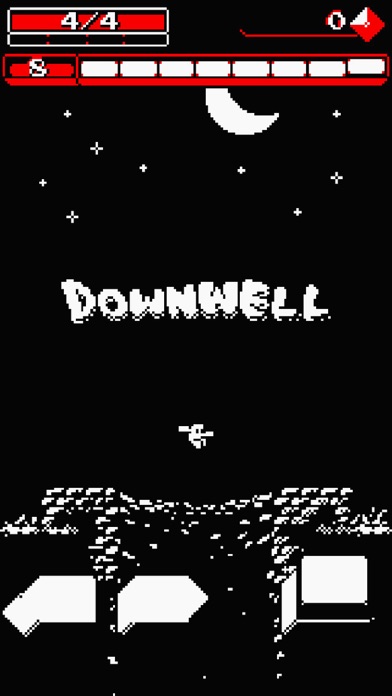
Moppin’s vertical-descent roguelike is the rare game that earns the word “perfect” in its scope. You go down a well. You shoot through your boots. You land on enemies’ heads to refill your ammo. That’s the entire pitch and it sustains hundreds of runs because the upgrade combinations create genuinely different builds.
The black-white-red palette is the right kind of minimalist — readable on an iPhone screen in any lighting, never visually tiring. Runs cap at around 5–10 minutes, which is part of why it sticks: it fits in any gap in your day.
Best for: short bursts, portrait-orientation one-handed play, “just one more run” loops.
Mini Motorways
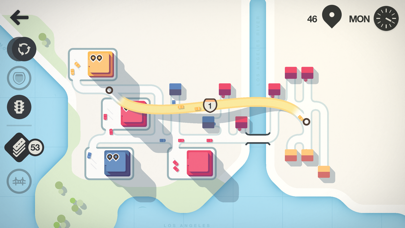
The road-network sibling to Mini Metro, also from Dinosaur Polo Club. It plays differently than its predecessor — you’re managing throughput on roads rather than capacity on rail — but the underlying design philosophy is the same. Clean visual language, escalating chaos, satisfying weekly challenge resets.
It earns its slot on this list because it’s the rare sequel that doesn’t replace the original. You can own both and play them for different moods.
Best for: longer 30–60 minute sit-down sessions; players who want a slower build than Metro.
Pawnbarian
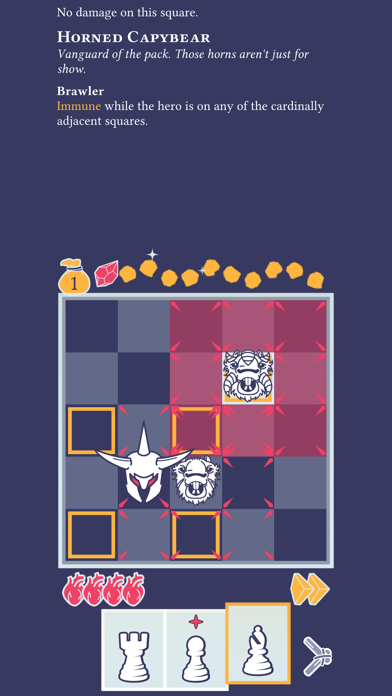
A chess-piece roguelike from j4nw that costs less than a coffee and contains more strategic depth than most desktop games. You play a card-driven dungeon crawler where every card is a chess piece’s movement pattern. Knights jump, bishops slash diagonals, rooks line up shots — and the deckbuilding meta-progression unlocks new heroes with their own card pools.
It’s the kind of game that does not exist outside of indie iPhone development. Nobody at a big studio would greenlight “chess pieces but as a roguelike deck-builder,” and yet here it is, finished and polished.
Best for: deep tactical thinking in 15–30 minute runs; chess players who want a roguelike on-ramp.
Card Crawl Adventure
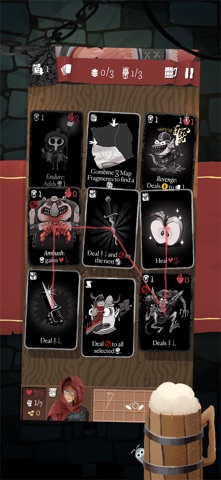
Arnold Rauers (Tinytouchtales) has been making solitaire-shaped roguelikes for years, and Card Crawl Adventure is his most refined release. You drag cards out of a 3x3 grid, equipping weapons, drinking potions, killing monsters, and managing the spatial puzzle of which card unblocks which other card.
The reason it’s on this list rather than the original Card Crawl is the campaign structure — there’s an actual progression arc with new card types and bosses, where the original was a pure score-attack game. Both are good. The Adventure version is the better entry point in 2026.
Best for: a defined campaign you can actually finish; players who want progression, not endless score chase.
Slay the Spire
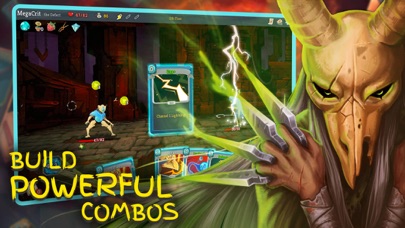
Yes, it’s regularly available under the mark on iOS sales, and yes, it’s the same Slay the Spire that has consumed thousands of hours of PC players’ lives since 2019. Mega Crit’s deckbuilder is the genre-defining title for a reason: four playable characters, hundreds of cards, deep synergies, and a daily climb that gives the community something fresh to argue about.
The iOS port is a proper port, not a stripped-down version. Touch controls work — the card drag is well-tuned for thumb play — and the game runs offline, which matters more than the App Store description admits.
The catch: at full price it sometimes nudges. Wishlist it and grab it during a sale. It will be on sale.
Best for: the 100-hour rabbit hole; players who want one game to last a year.
How to spot a real “premium” game in the App Store
The word “premium” gets abused. Some App Store listings use it to mean “we charge upfront and run ads and sell IAP.” Here’s a quick filter:
- Check the in-app purchases list on the listing page. If it’s not “No In-App Purchases,” it’s not premium in the strict sense, no matter what the marketing says.
- Read the most recent 1-star reviews. They’ll surface ad popups, paywalls, and energy timers faster than any feature description.
- Check the update history. Games that haven’t been updated in 18 months are often abandoned but still sold; that’s not necessarily disqualifying for finished single-player games, but it’s worth knowing.
- Look for a developer with more than one game. Studios with a back catalog tend to support their releases better than one-and-done shovelware accounts.
FAQ
Can I get a refund if I buy one and hate it? Yes — Apple’s “Report a Problem” page lets you request a refund on any App Store purchase, typically within 90 days. Approval isn’t guaranteed but is common for first-time requests, especially when the reason is “didn’t work as expected” or “purchased by accident.”
Do these games sync progress across iPhone and iPad? Most do, via iCloud. Mini Metro, Mini Motorways, and Slay the Spire have explicit cross-device save sync. Threes!, Downwell, Pawnbarian, and Card Crawl Adventure save locally per device — your high scores and unlocks won’t follow you to a second device.
Do any of these support MFi controllers? Slay the Spire and Mini Motorways have controller support; the others are touch-first.
Are family-sharing-eligible purchases included? All eight picks above support Apple’s Family Sharing, so a single purchase covers up to six accounts in your family group. Check the App Store listing’s “Family Sharing” line to confirm before buying.
What happens if a developer pulls a game from the store after I buy it? You keep access. Purchased apps remain in your purchase history and can be re-downloaded even after delisting, as long as the app is still compatible with your current iOS version. The risk is iOS updates eventually breaking older builds that no longer receive maintenance.
How often do these games go on sale? Several times a year for most titles, typically around major Apple events (WWDC in June, the September iPhone launch), Black Friday week, and the late-December holiday window. Wishlisting and waiting saves you a few dollars over a year of buying.


