Paid iPhone Platformers: Premium Side-Scrollers Worth Playing
Paid iPhone Platformers: Premium Side-Scrollers Worth Playing
The platformer is the oldest genre in digital games—and it’s still the hardest to get right. A bad one feels sluggish and forgiving. A good one teaches you its rules through play, respects your time, and makes you want to chain jumps together just to feel the craft. On iPhone, where screen real estate is tight and touch controls are a constant headwind, the gap between competent and excellent is wider than anywhere else.
This guide covers side-scrolling platformers you can buy once and own forever—no energy timers, no ads, no “premium currency” that costs real money. These are games built by developers who believed in the platformer enough to charge upfront and let the game speak for itself.
Why Platformers Matter on iPhone
The platformer tests everything a mobile game engine needs to do well: input latency, collision detection, camera tracking, and feedback. A platformer that feels sluggish or floaty will expose it immediately. That’s why so many premium iPhone platformers come from developers with deep arcade roots—they understand that every millisecond of delay between finger and screen is a broken promise.
The best ones also solve a real problem: how to make a game that respects the portrait screen, works with touch, and doesn’t demand a controller to feel good. Some do it by reimagining the genre (endless runners with platformer DNA). Others double down on precision and forgiving level design that lets you retry without punishment. Either way, they’re built for iPhone first, not ported from console.
Craft-Built Platformers: Where Precision Meets Art
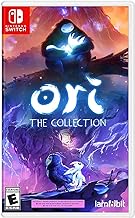
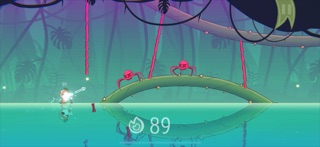
Requires iOS 13.0 or later; 1.2 GB storage.
What makes Ori work is that it trusts you. Early levels teach you the vocabulary of movement, but they don’t hold your hand through every obstacle. By the midgame, you’re expected to chain abilities together, and the game rewards you with moments of flow that feel earned. The story—about a guardian spirit protecting a young owl—gives the game emotional weight that most platformers skip entirely.

Requires iOS 11.0 or later; 280 MB storage. Touch controls are responsive and reliable; no controller needed.
The game also does something rare: it has an accessibility menu that lets you slow the game down, disable dashes, or turn off time limits entirely. It’s not a “easy mode” that changes the game—it’s a set of tools that let you play the game you want to play. That’s craft.
Minimalist and Retro Lineage

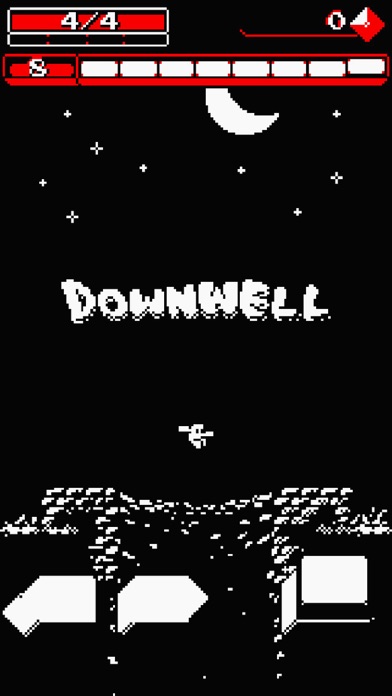
Requires iOS 9.0 or later; 45 MB storage.
What matters here is feedback. Every shot has weight. Falling onto an enemy has a specific screen-shake and sound that tells you it worked. Collecting ammo is a small burst of particles. The game never leaves you guessing whether you did something right. On iPhone, where visual clarity is tight, that feedback is everything.

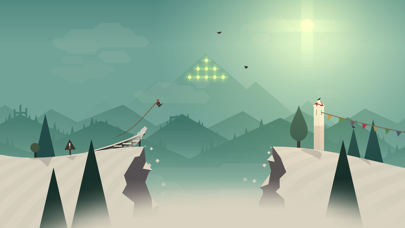
Requires iOS 9.0 or later; 180 MB storage.
The art is the real draw. The color palette shifts as you descend—warm oranges and reds giving way to cool blues and purples. It’s meditative in a way most games aren’t. You can play a round in two minutes or spend an hour chasing high scores. The game doesn’t nag you to do either.
Exploration and Atmosphere
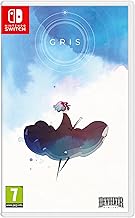
Requires iOS 11.0 or later; 520 MB storage. No fail states; touch controls are forgiving.
There’s no combat, no timer, no fail state. You can’t die. If you miss a jump, you fall to the last platform and try again. This sounds like it would make the game easy, but it doesn’t—it makes the game honest. Every obstacle is a puzzle to understand, not a test to pass. The game trusts you to engage with it on its own terms.
Requires iOS 9.0 or later; 380 MB storage.
The controls are minimal—move, jump, grab. But the level design is surgical. Every obstacle teaches you something about the world’s rules, and every solution feels clever when you figure it out. On iPhone, the touch controls are simple enough that they get out of the way, letting the atmosphere do the work.
Controller-Friendly Premium Platformers
If you’re playing on iPhone with a controller—either a standalone gamepad or a clip-on—several platformers shine with native gamepad support.
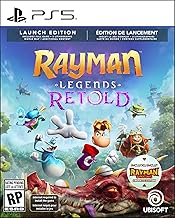
Requires iOS 11.0 or later; 1.1 GB storage. Recommended with controller for best experience.
For more controller-friendly premium games, see our full guide on iPhone Games With Gamepad Support: Console-Quality Mobile Gaming.
Budget-Tier Platformers Worth Every Penny
You don’t need to spend premium-tier money to get a great platformer. Several budget-tier games punch well above their weight.

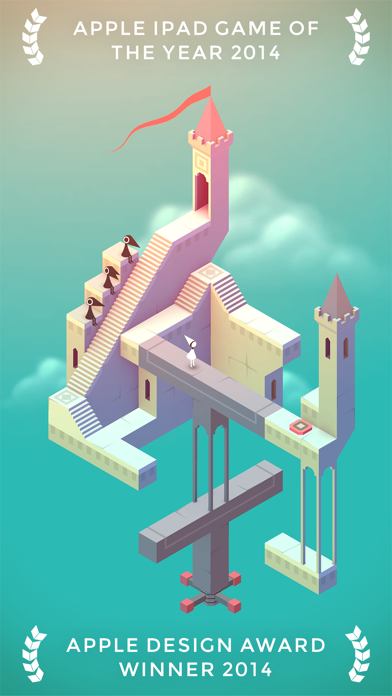
Requires iOS 10.0 or later; 280 MB storage.
Monument Valley 2 expands on the concept and adds a second character with new mechanics. If you loved the original, the sequel is worth buying separately—it’s not a simple rehash, but a meaningful expansion. If you’re new to the series, start with the original.
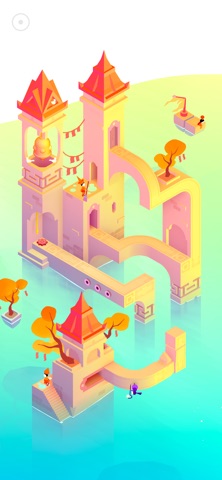
Requires iOS 11.0 or later; 310 MB storage.
What to Avoid: Premium in Name Only
Not every game labeled “premium” is actually premium. Watch out for:
- Games with ads between levels. Example: games that show a 30-second video ad after you die or complete a level. That’s free-to-play with a paywall, not premium.
- Games with energy systems or timers that lock you out after a few minutes of play. Premium games let you play as long as you want.
- Games that offer cosmetics or power-ups as in-app purchases. If the game has a store, it’s not premium—it’s freemium.
- Games ported from console that don’t remap controls for touch. They’ll feel sluggish and frustrating on iPhone.
The games listed here have none of those. You buy them once, you own them forever, and they work on iPhone without compromise.
How to Know If a Platformer Is Right for You
If you like tight, responsive controls and don’t mind difficulty: Celeste, Downwell, or Ori.
If you like exploration and atmosphere over combat: Gris, Limbo, or Monument Valley.
If you like endless runners or meditative play: Alto’s Adventure.
If you have a controller and want console-quality platforming: Rayman Legends.
If you’re new to platformers or want something family-friendly: Monument Valley, Alto’s Adventure, or Gris.
FAQ
What’s the difference between Ori and Celeste? Ori emphasizes fluid movement and chaining abilities together—it rewards practice and exploration. Celeste is deliberately punishing; it’s about overcoming a single mountain through repetition and precision. Ori is for players who want to feel powerful; Celeste is for players who want to feel challenged.
Do these games work on older iPhone models? Most do. Downwell, Alto’s Adventure, and Monument Valley work on iPhone 6 and later. Celeste requires iOS 11 (iPhone 5s and later). Ori requires iOS 13 (iPhone 6s and later). Limbo and Gris require iOS 9-11. Check the App Store listing for your specific device before purchasing.
How much storage do I need? Downwell is the smallest at 45 MB. Alto’s Adventure is 180 MB. Most others range from 280 MB to 1.2 GB. If you have less than 2 GB free, check individual game sizes before buying.
Can I play these games offline? Yes. All of the games listed here work offline. There’s no cloud save requirement, no online multiplayer, no “play online to unlock content.” Buy them, download them, play them anywhere.
How long do these games take to beat? Monument Valley is 1-2 hours. Gris is 2-3 hours. Limbo is 3-4 hours. Celeste is 5-10 hours depending on difficulty. Ori is 10-15 hours. Downwell and Alto’s Adventure are endless—you play as long as you want.
Which one should I buy first? Start with Celeste or Alto’s Adventure. Celeste if you want a challenge and don’t mind dying repeatedly. Alto’s Adventure if you want something meditative and forgiving. Both are excellent introductions to premium platformers on iPhone, and both.
Top Picks
Best for tight, responsive controls:
Best for brutal, honest difficulty:
Best for minimalist arcade sensibility:
Best for exploration and atmosphere:
Best for meditative, endless play:
Best for puzzle-platformer fusion:
The Bottom Line
Premium platformers on iPhone prove that the genre isn’t dead—it’s just harder to get right on a smaller screen with touch controls. The games that succeed do it by respecting your time, giving you clear feedback, and building mechanics that feel native to iPhone. They’re not ports or compromises. They’re games built for the platform, from the ground up.
If you’ve been waiting for a reason to buy an iPhone game, a great platformer is it. Pick one that matches your mood—whether that’s challenge, exploration, or just the meditative joy of movement—and you’ll understand why developers still care about getting the jump feel right.
See also: Best Premium iPhone Games 2026: Top Paid Games Worth Buying, Best iPhone Games Under $5 2026: Budget-Friendly Gems, and iPhone Games Inspired by 80s Arcade: Modern Homages.